
How to install your quiz on Instagram
In order to add a quiz to Instagram, you need to copy the direct link to the quiz. You can find it in the “Quiz Installation” tab → “Link to quiz”: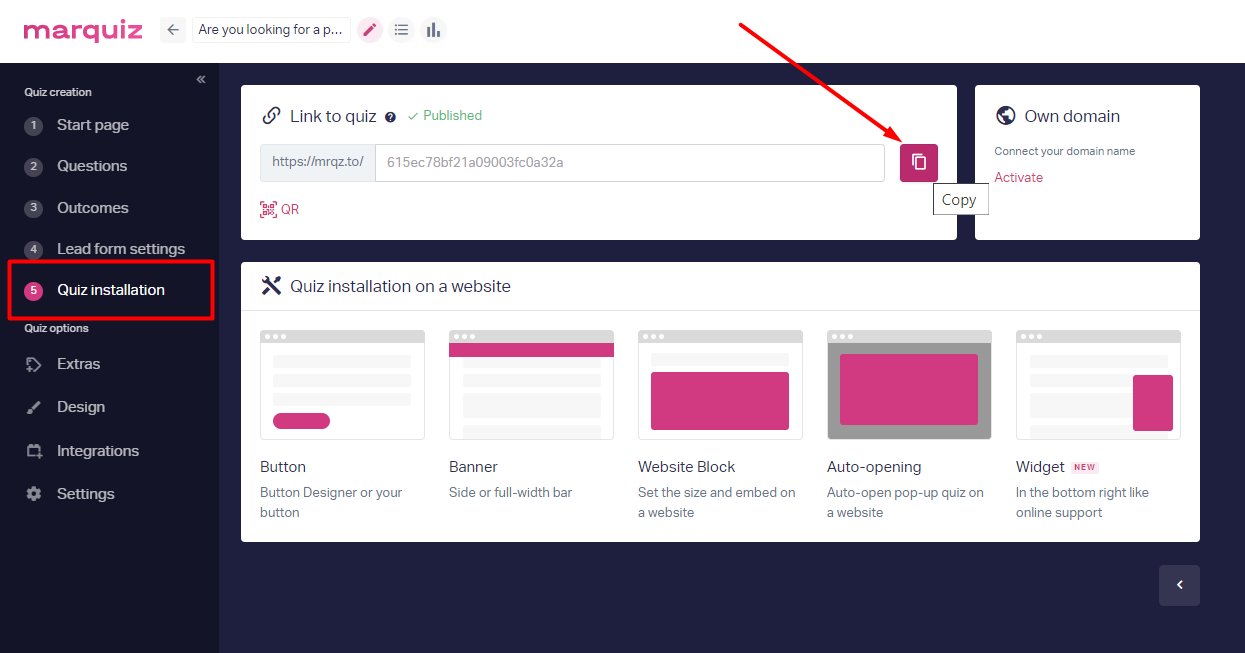
Adding a quiz to the profile header:
Open your Instagram page and click on the "Edit Profile" button.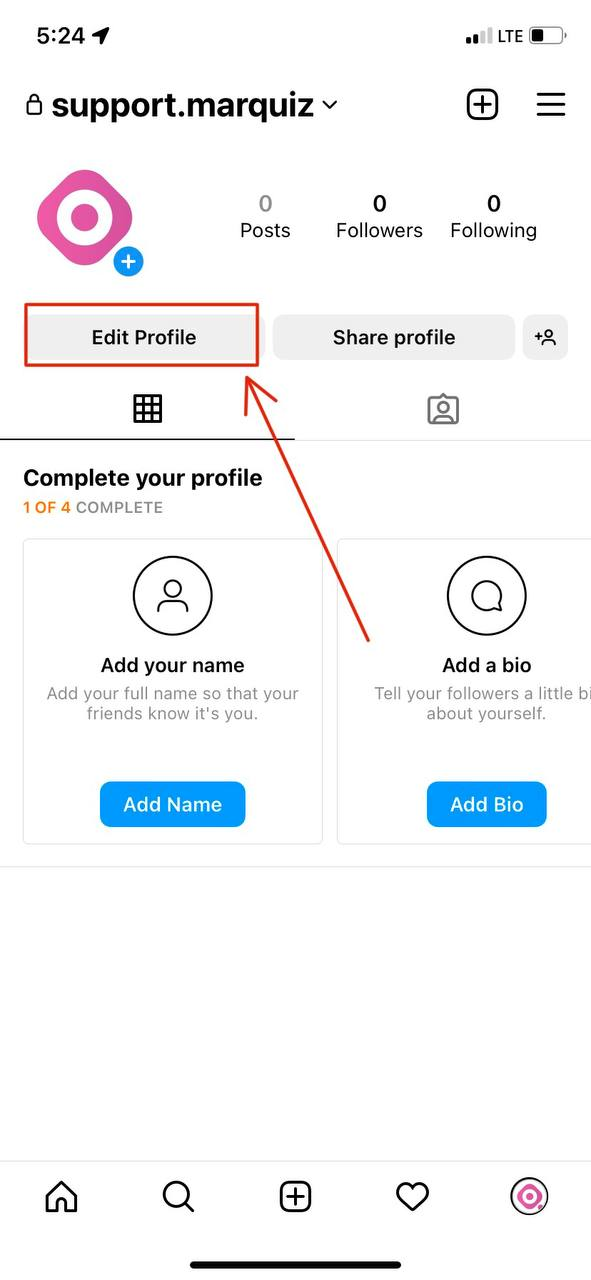
Click "Links" -> "Add external link" and paste the copied link to the quiz in the URL field. You can also add a title to your link.
Note that editing your links is only available on mobile. Visit the Instagram app and edit your profile to change the websites in your bio.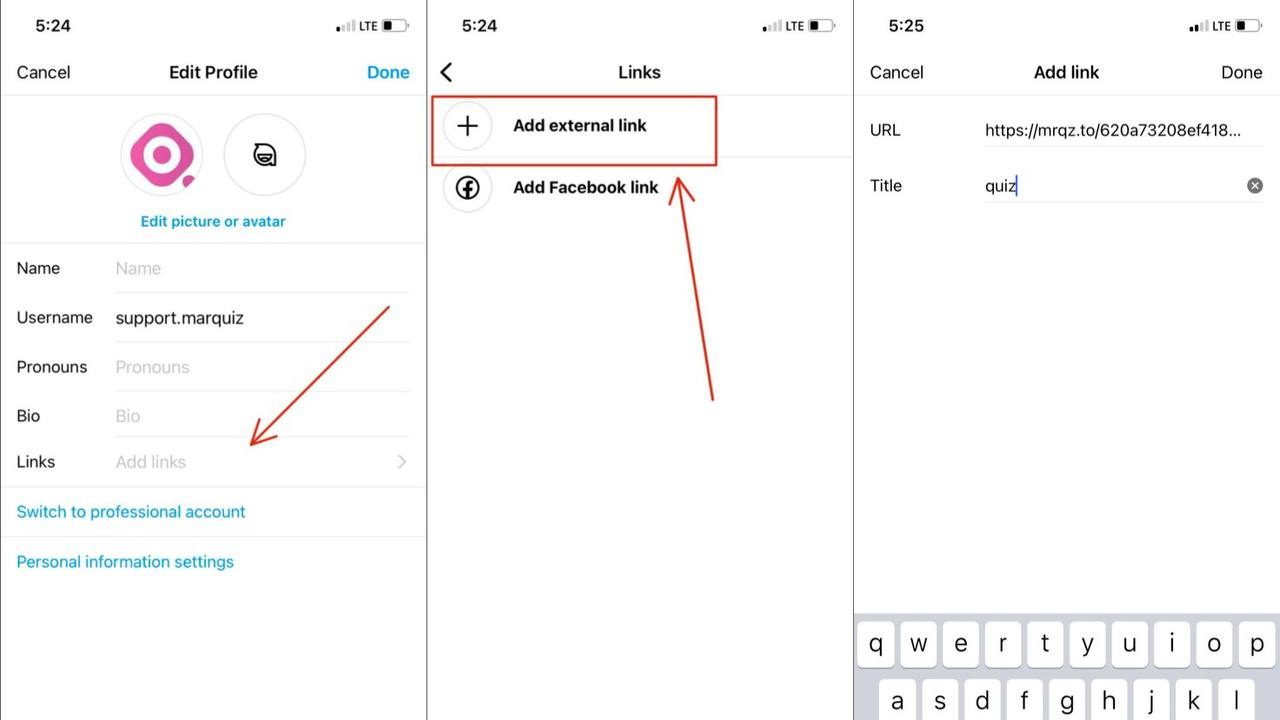
Done! The quiz is added to your Instagram page.
Stories:
If you want to post a link to the quiz in stories you need to copy the link to your quiz in the quiz editor. Then start creating a story and select the stickers tool on the top navigation bar.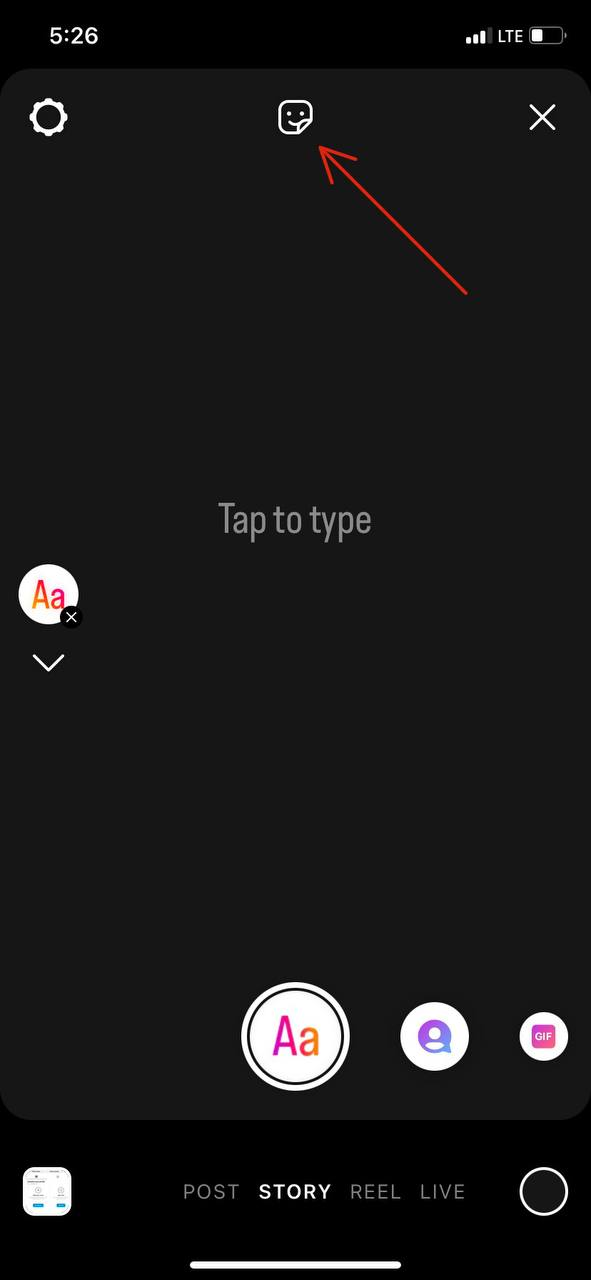
Click on the "Link" and paste the copied link in the URL field.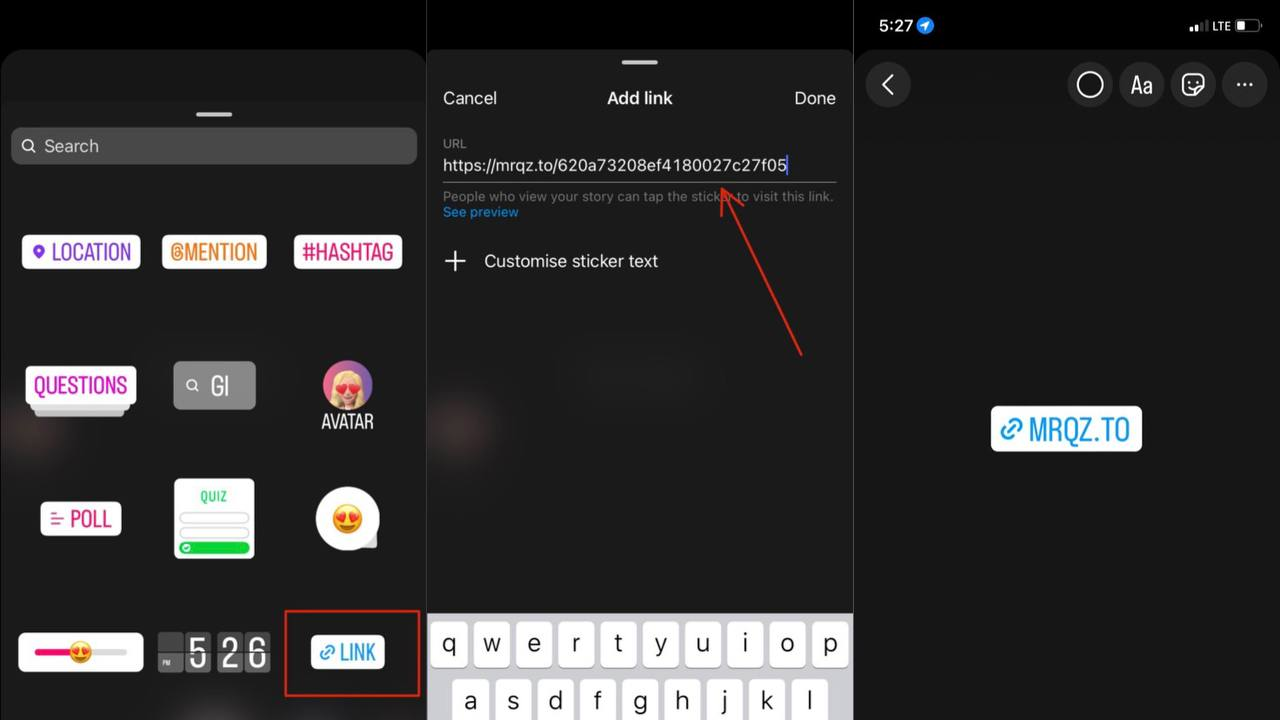
Done! The link is added to your Instagram story.