How to integrate a quiz into a Telegram bot
A guide on how to add a quiz to the Telegram bot
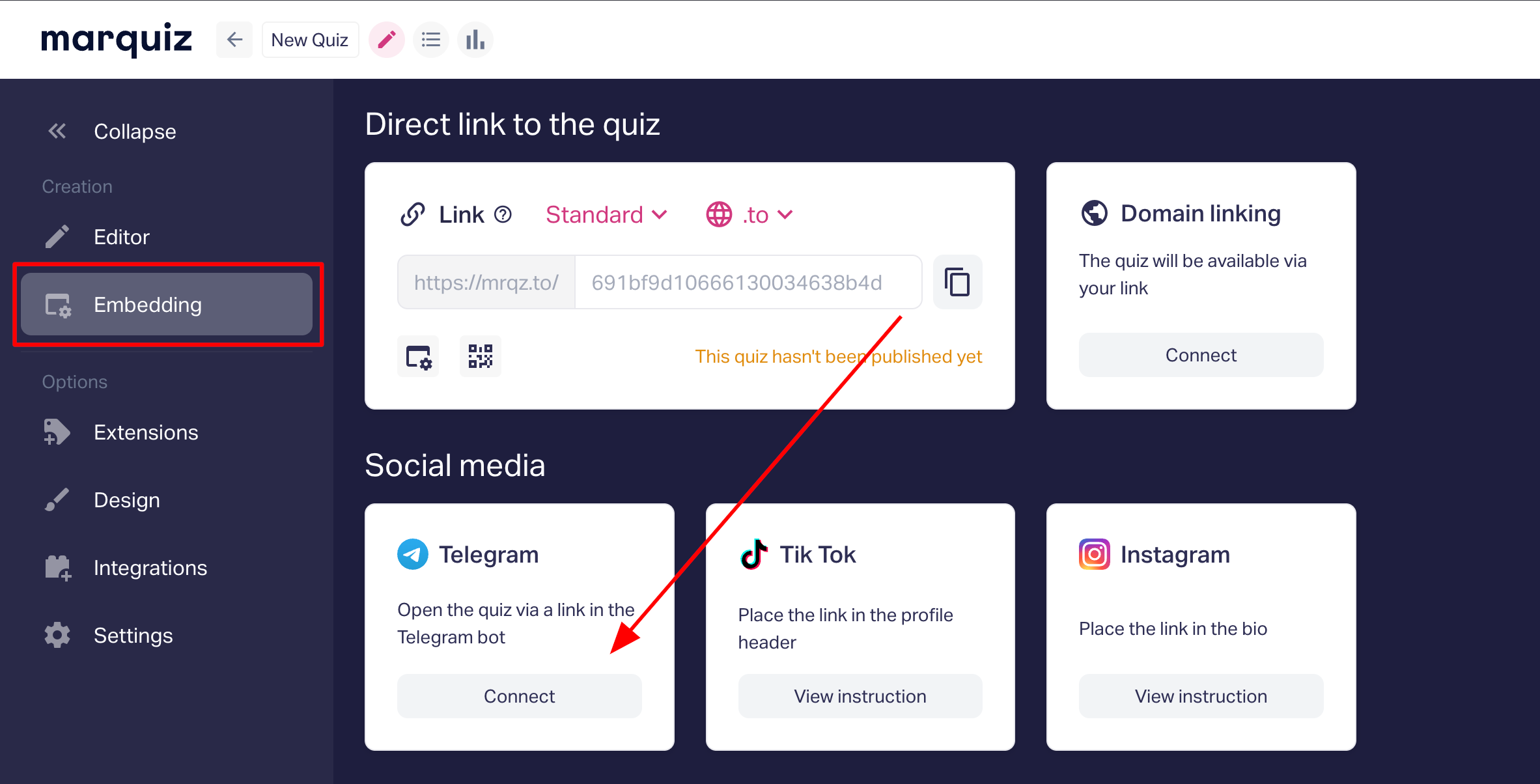
To add a quiz to Telegram, you need to copy the link to your quiz in the section
Embedding -> Telegram:
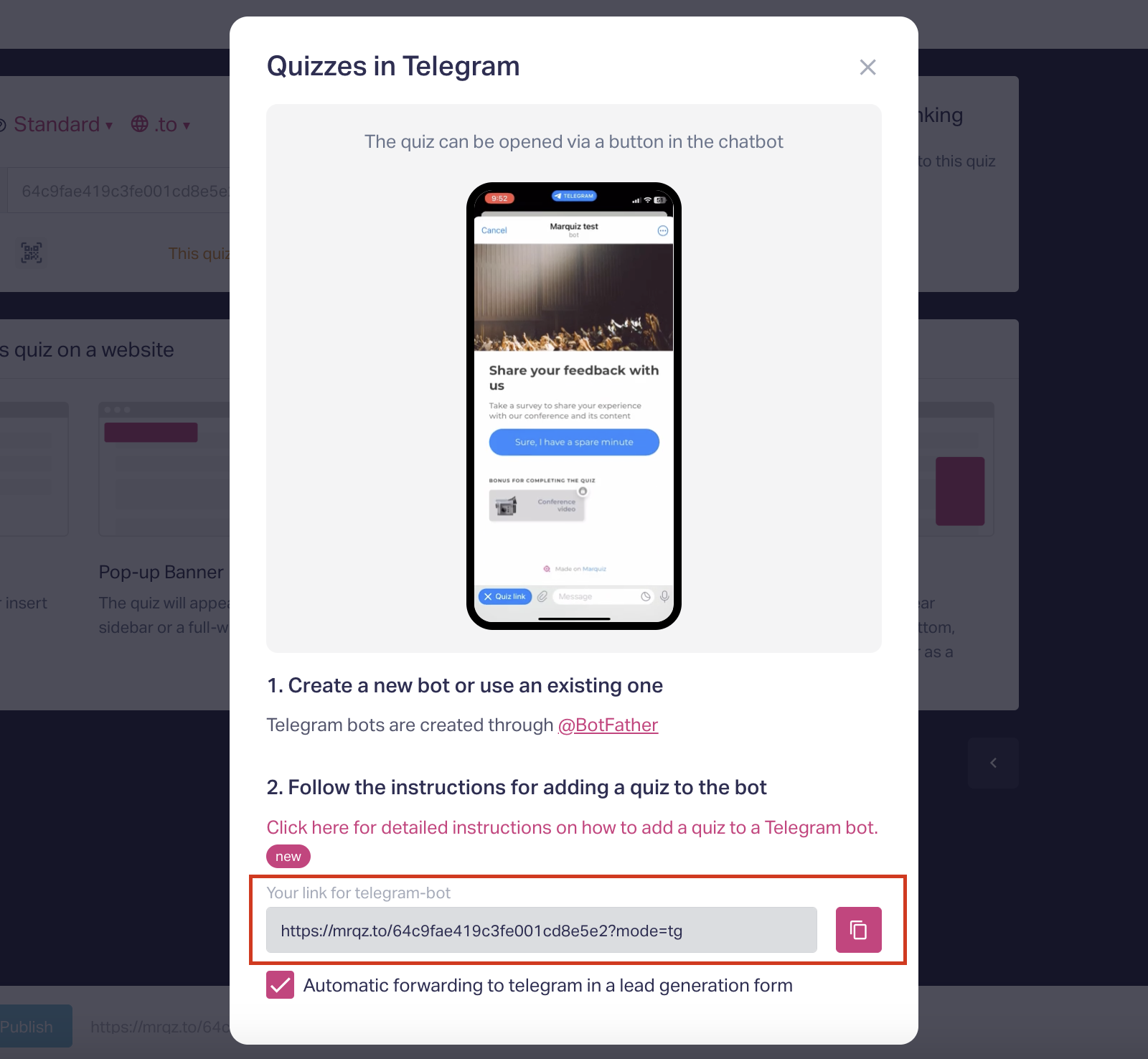
Then create a new bot via @BotFather or use an existing one:
1. Open the Bot Settings section for the bot created via @BotFather.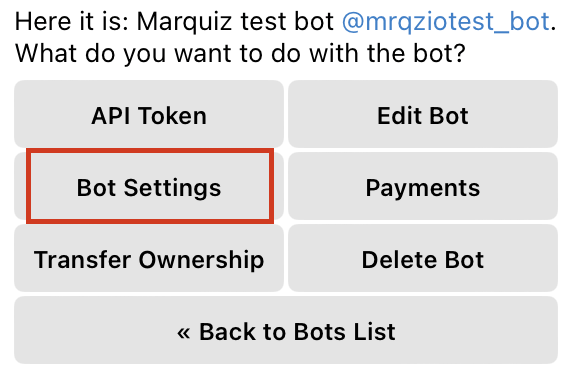
2. Then go to the Menu Button section.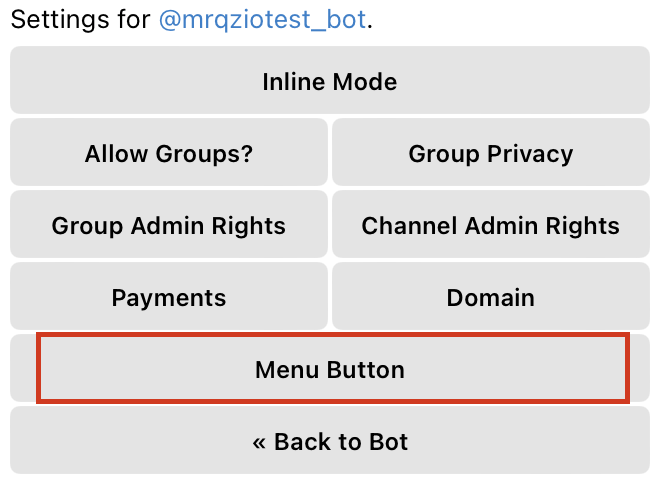
3. Click on the Configure menu button.
4. Paste the copied link to the quiz in the text message.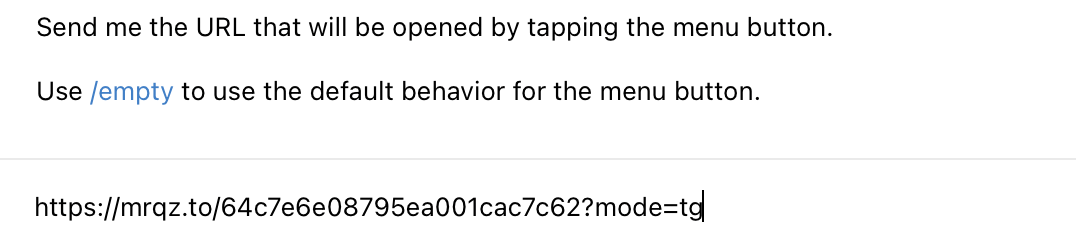
5. Specify the name of the button that will open your quiz.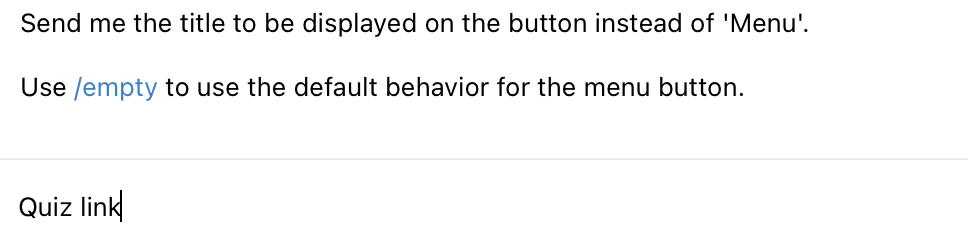
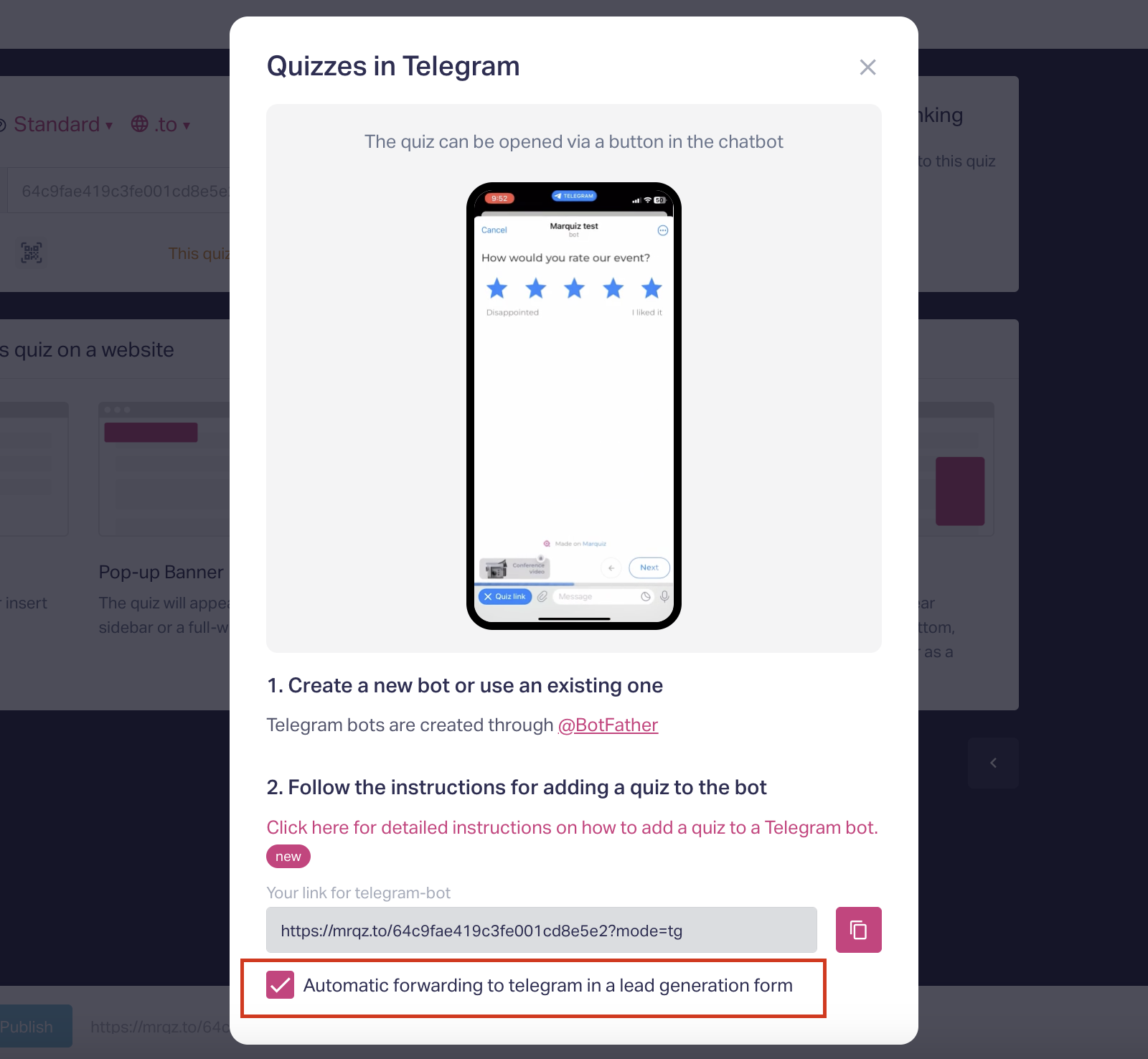
6. Done! Now your quiz will be opened via a button in the chatbot.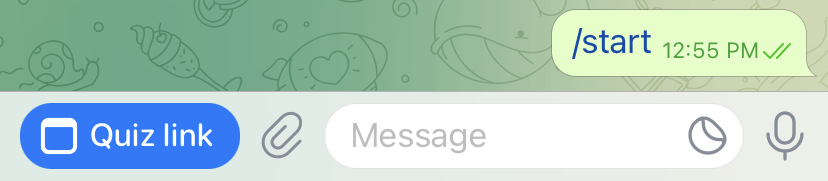
You can also set up an automatic redirection to the telegram messenger in the Lead Generation Form. To do this, put a check mark in the pop-up for connecting the quiz to Telegram: