
Disqualification page for the lead quiz
What is a Lead Disqualification Page?
It is a special version of the thank you page that appears when a quiz participant does not meet the predefined conditions, for example if they do not match the target audience or do not fit the required criteria.
This page allows you to thank the user for completing the quiz and explain why your offer cannot be shown to them at this time.
How to Enable the “Lead Disqualification Page” Mode
In the Thank You page settings, an additional option is available — “Lead Disqualification Page.”
This option appears if your quiz contains more than one Thank You page.
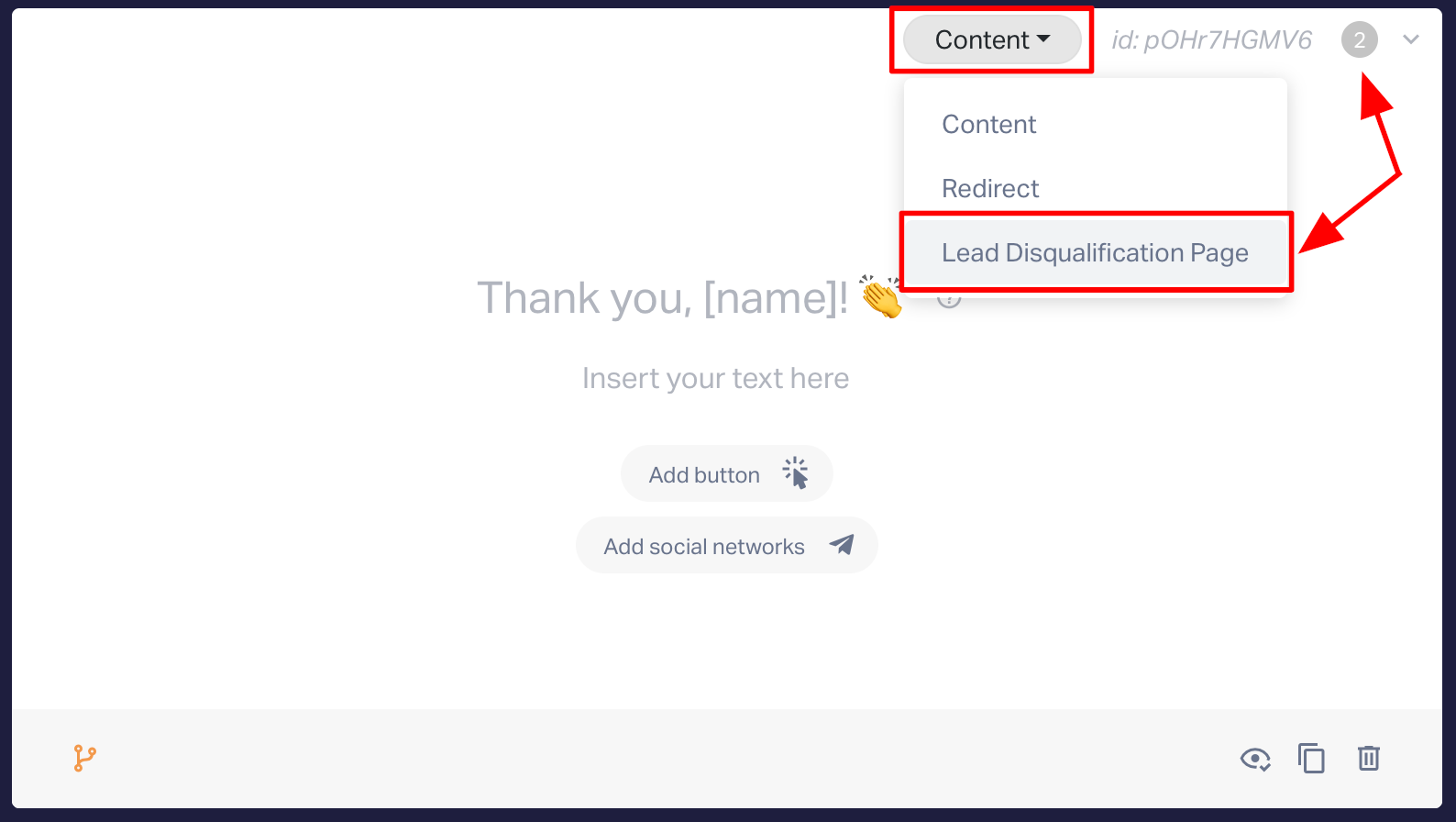
When this mode is activated, the system automatically suggests template text:
- Title: “Thank you for answering the questions!”
- Additional text: “At the moment, we're unable to find a relevant offer for your request. This may change in thefuture. To stay in touch, we invite you to follow us on social media.”
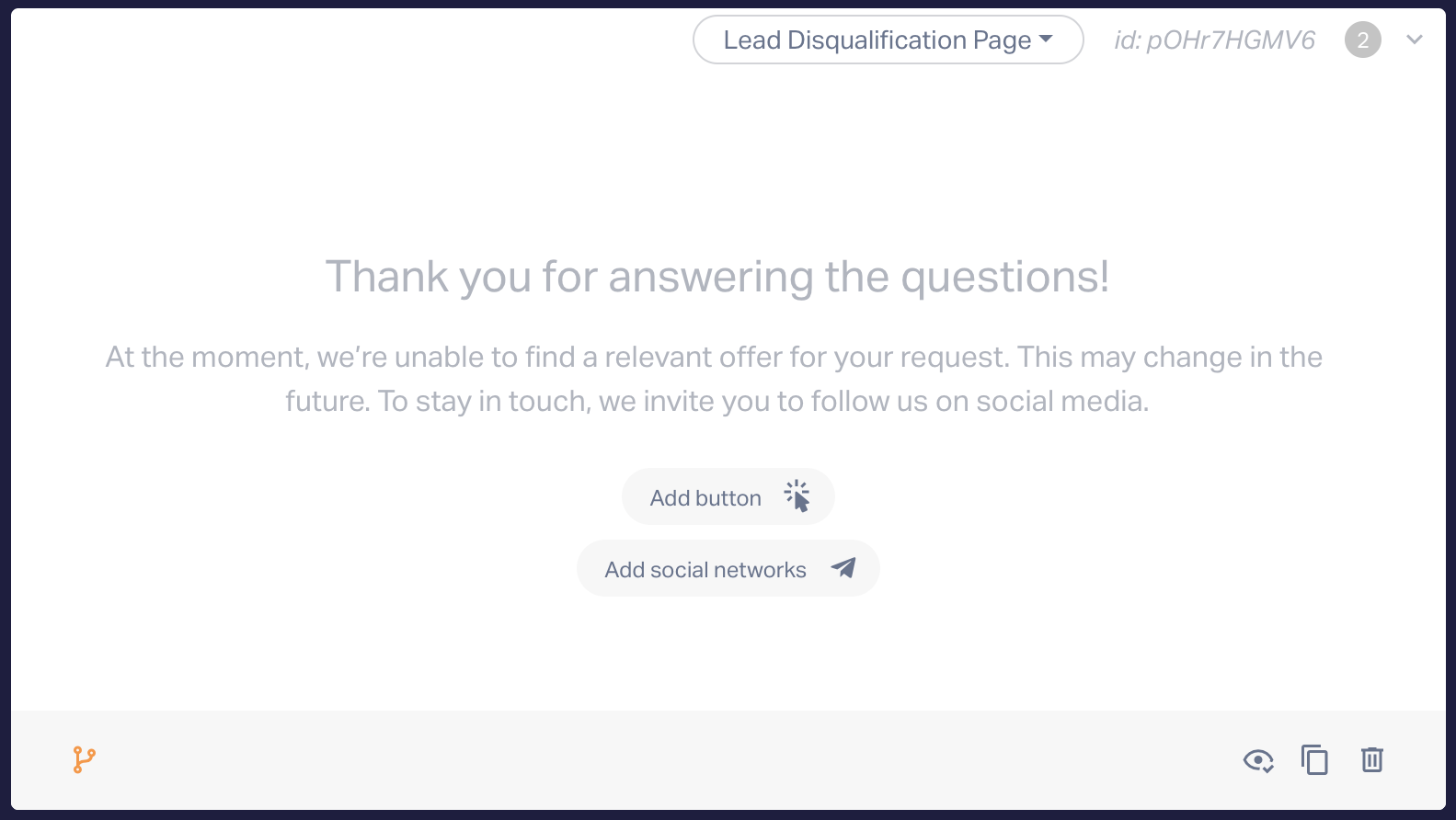
You may replace these texts with your own. If the fields are left empty, the template text will be shown.
Setting Up Display Logic
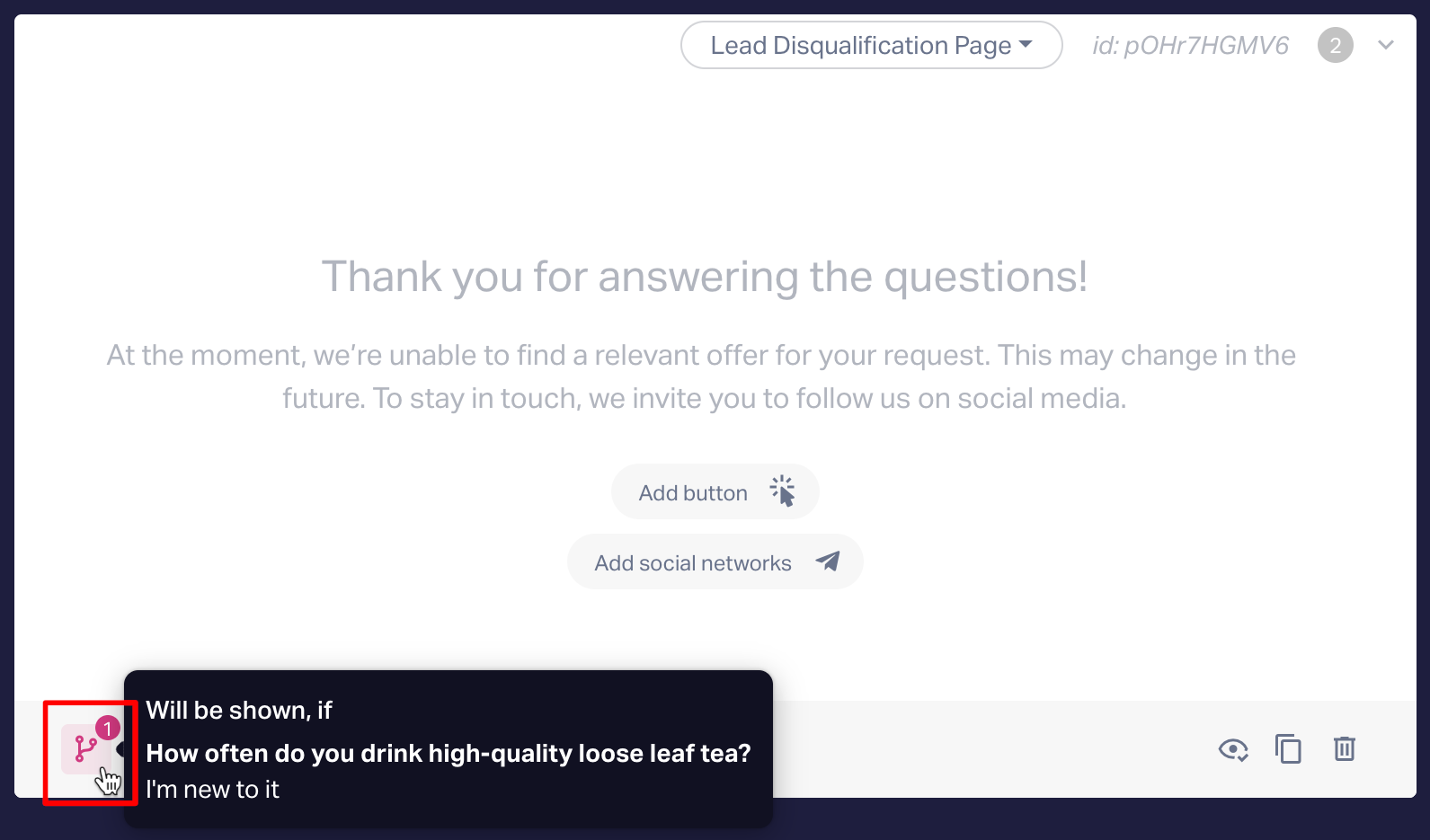
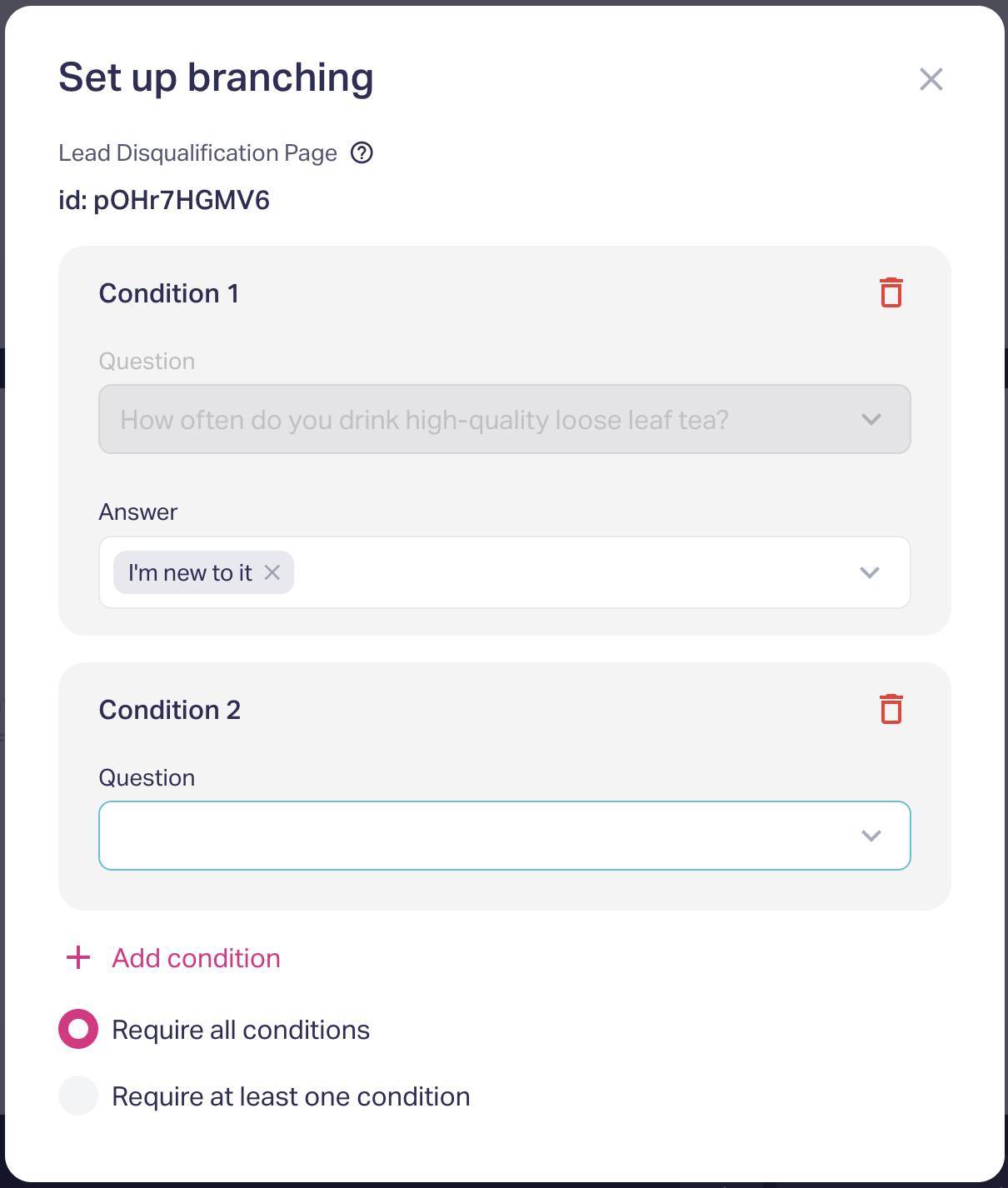
To make the Lead Disqualification Page appear, you must configure branching conditions.
Until the logic is set, the settings icon will remain highlighted.
In the condition settings window, only the option “On condition” is available.
If no conditions are specified, the Lead Disqualification Page will not be displayed.
If the Lead Disqualification Page is moved to the first position (for example, after deleting previous blocks), it automatically switches to "Content" mode, its texts are cleared, and all branching conditions are reset.
How the Lead Disqualification Page Works
When the conditions for displaying it are met, the Lead Disqualification Page takes priority over all other elements — questions, results, and contact forms.
The user is taken directly to the Lead Disqualification Page, skipping all remaining quiz steps.
In this case, no lead is created, integrations do not run, and the marquiz_finish event is not triggered.
Analytics Event
An additional analytics event has been added:
Transition to Lead Disqualification Page — marquiz-decline.
This event helps track how many users land on the Lead Disqualification Page in your analytics dashboards and reports.