
How to add a quiz to Shopify
Instructions for installing a quiz on your Shopify site
To embed a quiz into your Shopify site:
Go to the Embedding tab and choose the installation type you need.
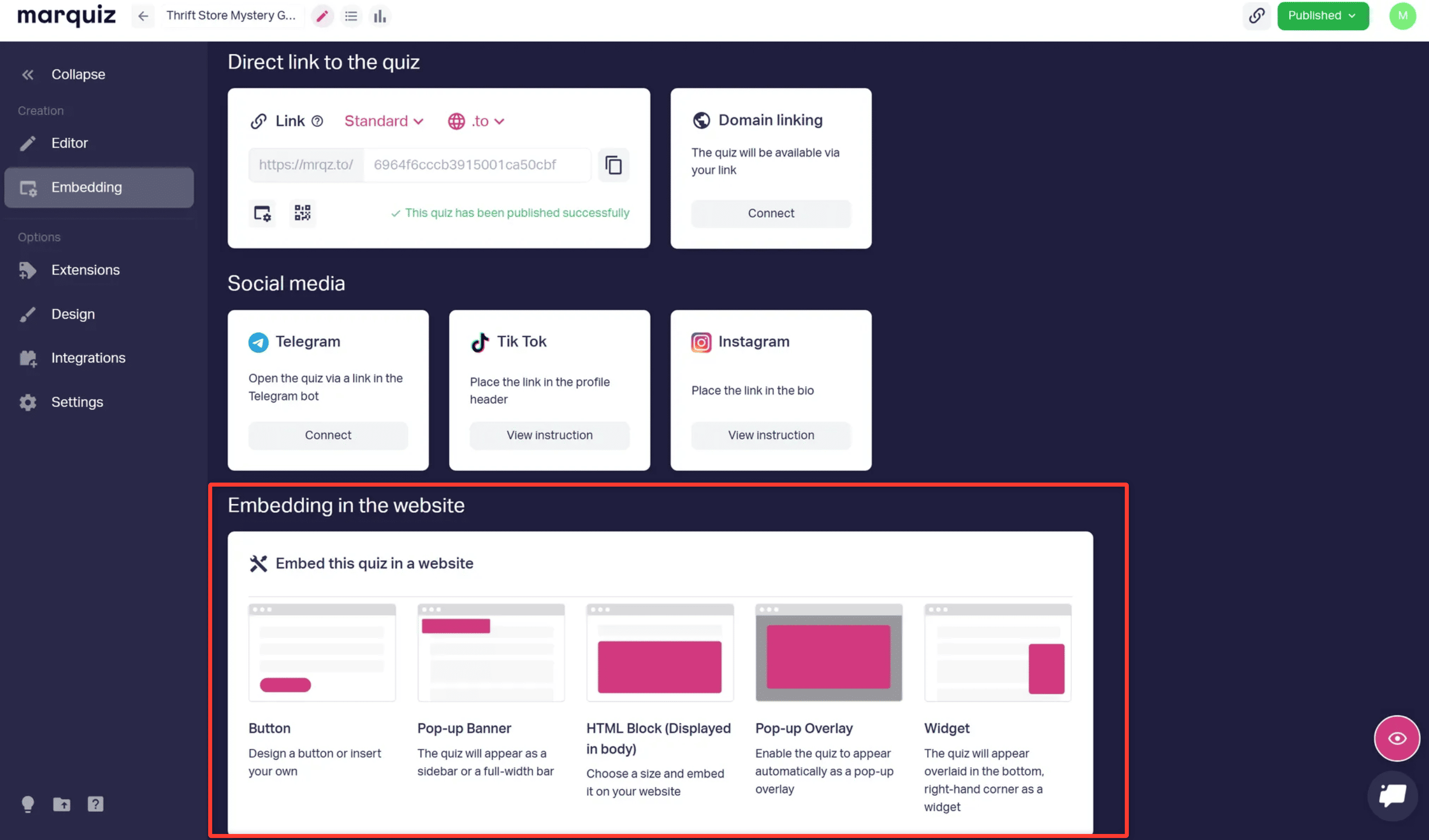
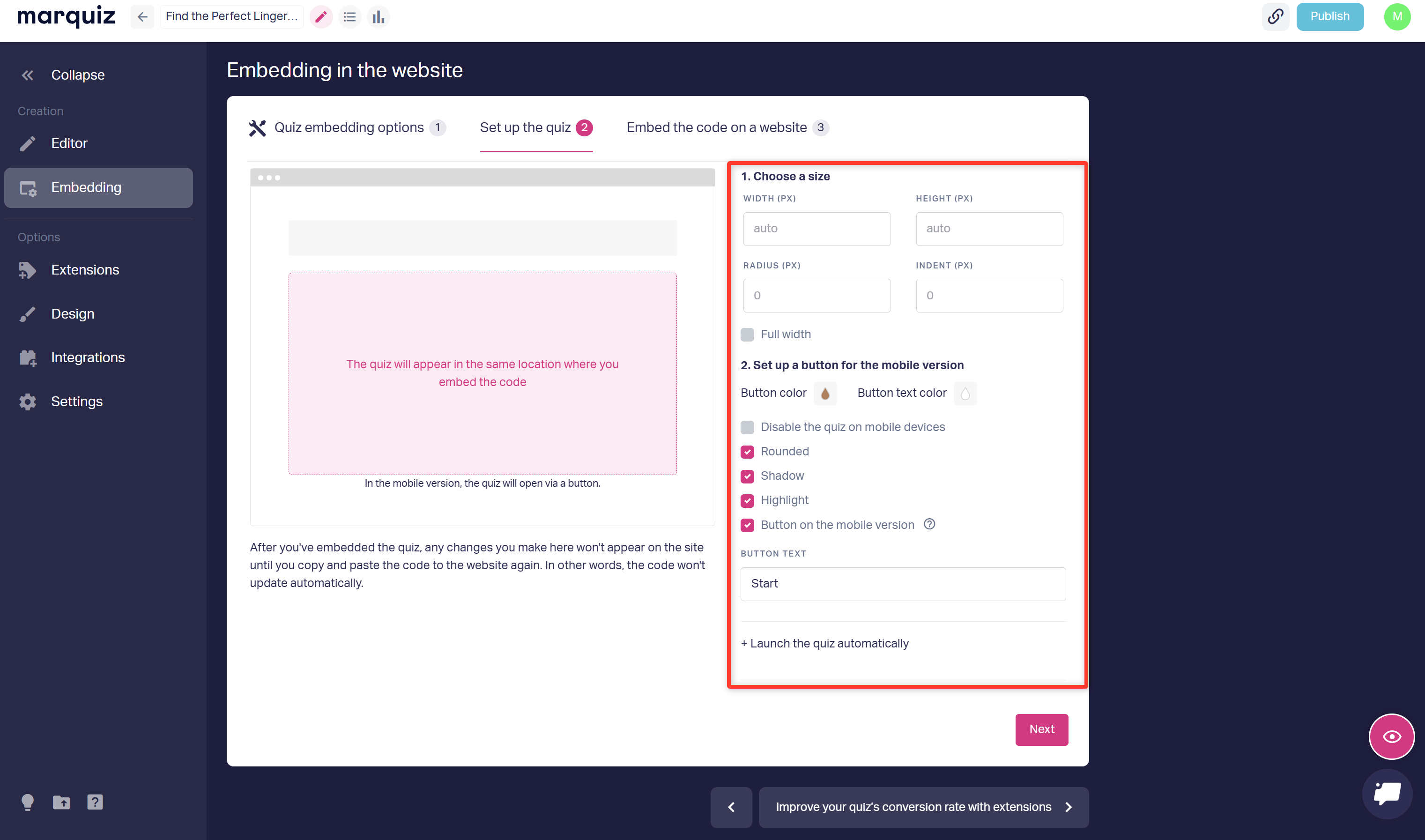
1. Select the installation type, customize the design, and click Next.
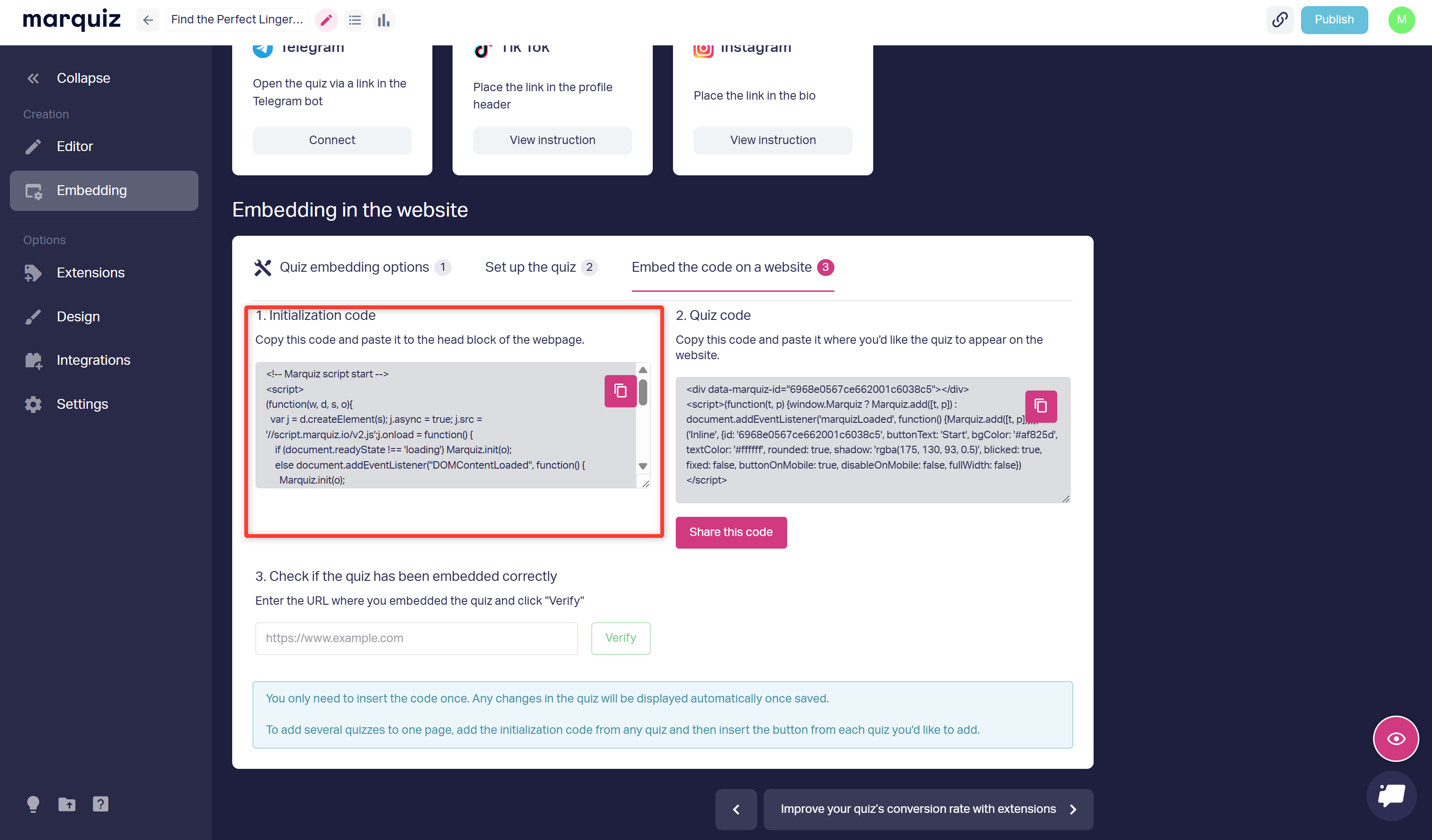
2. Copy the Initialization code.
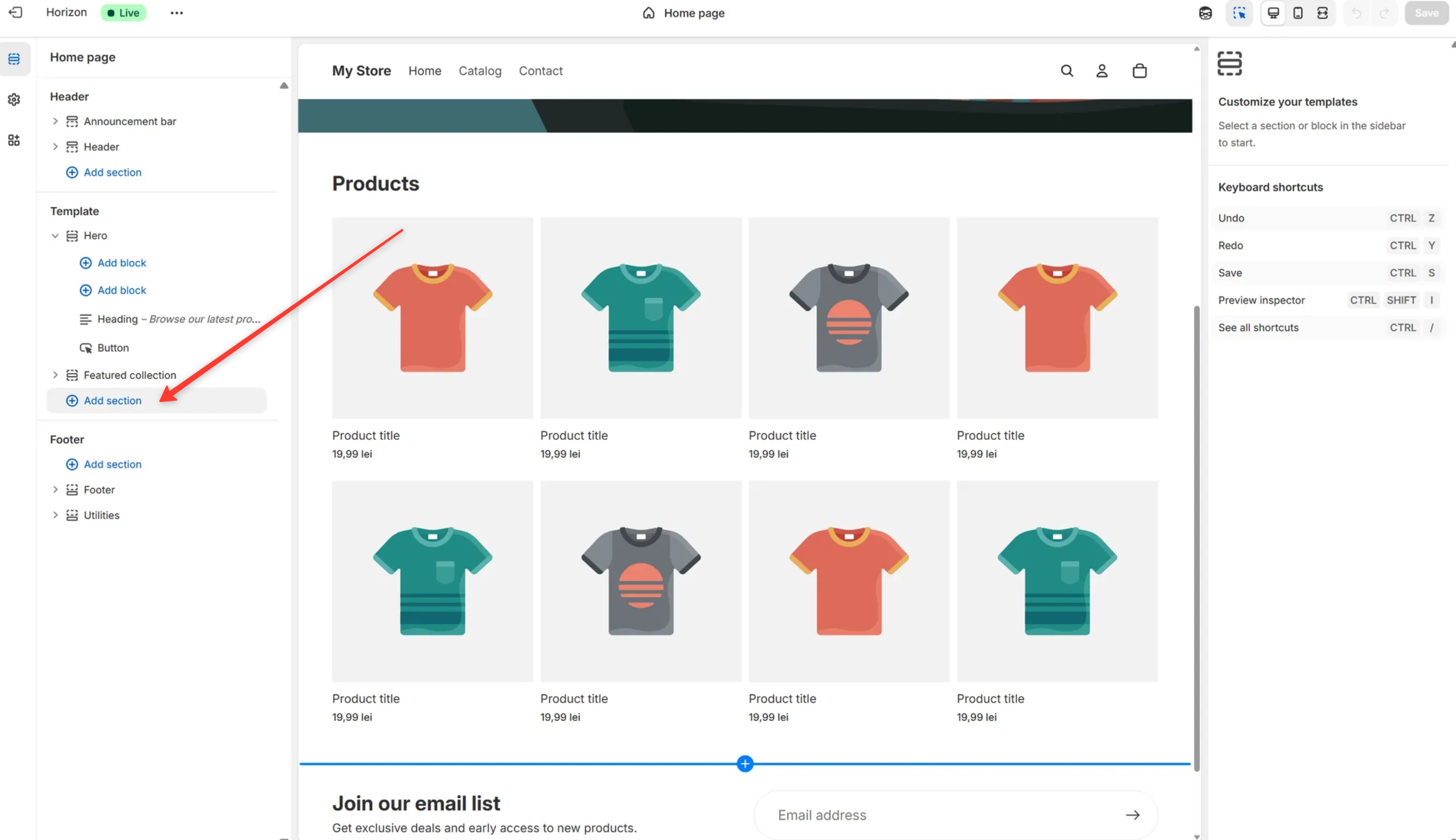
3. In the Shopify site editor, click Add section.
4. In the menu, select Custom Liquid and right-click on it.
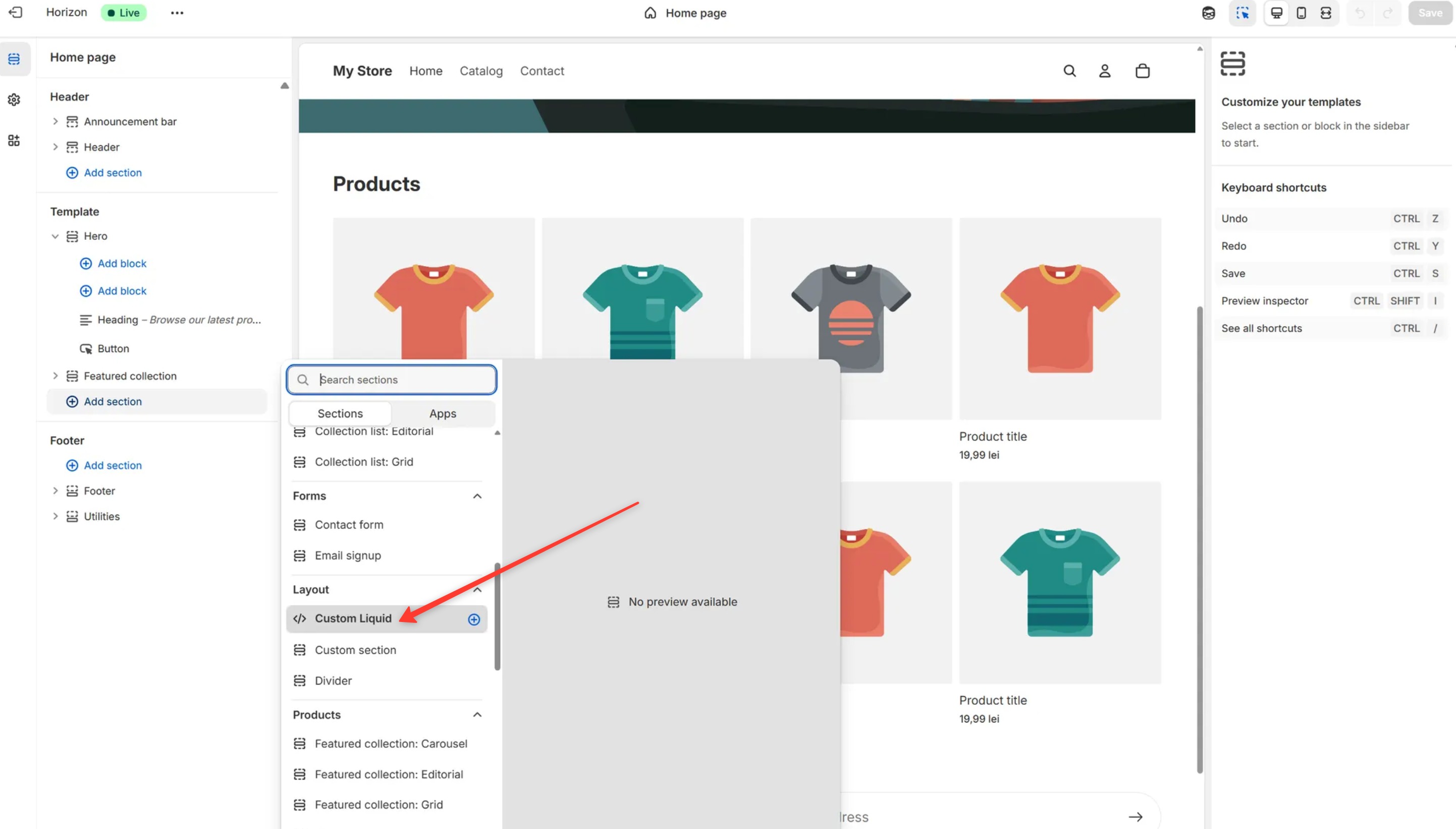
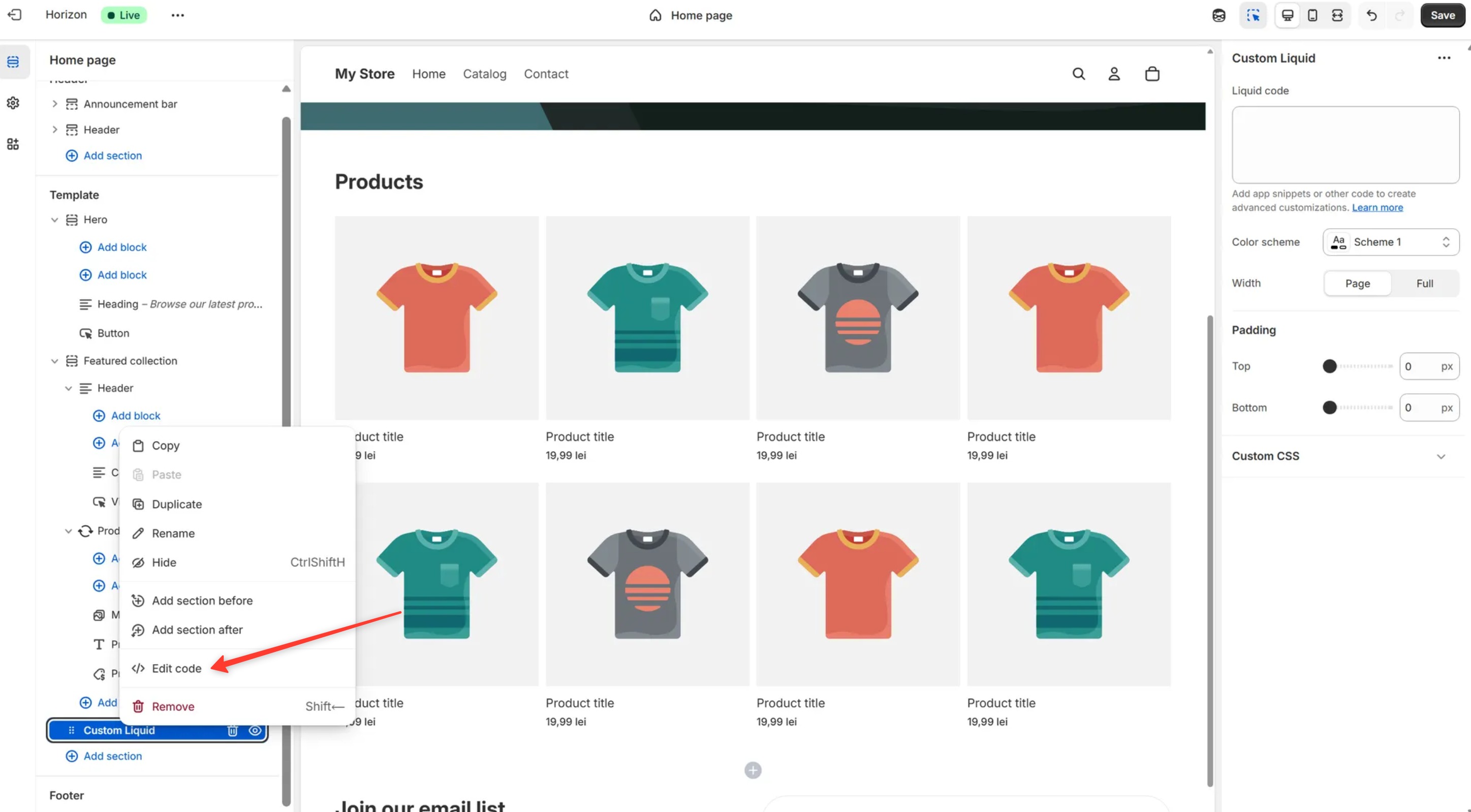
5. Click Edit code.
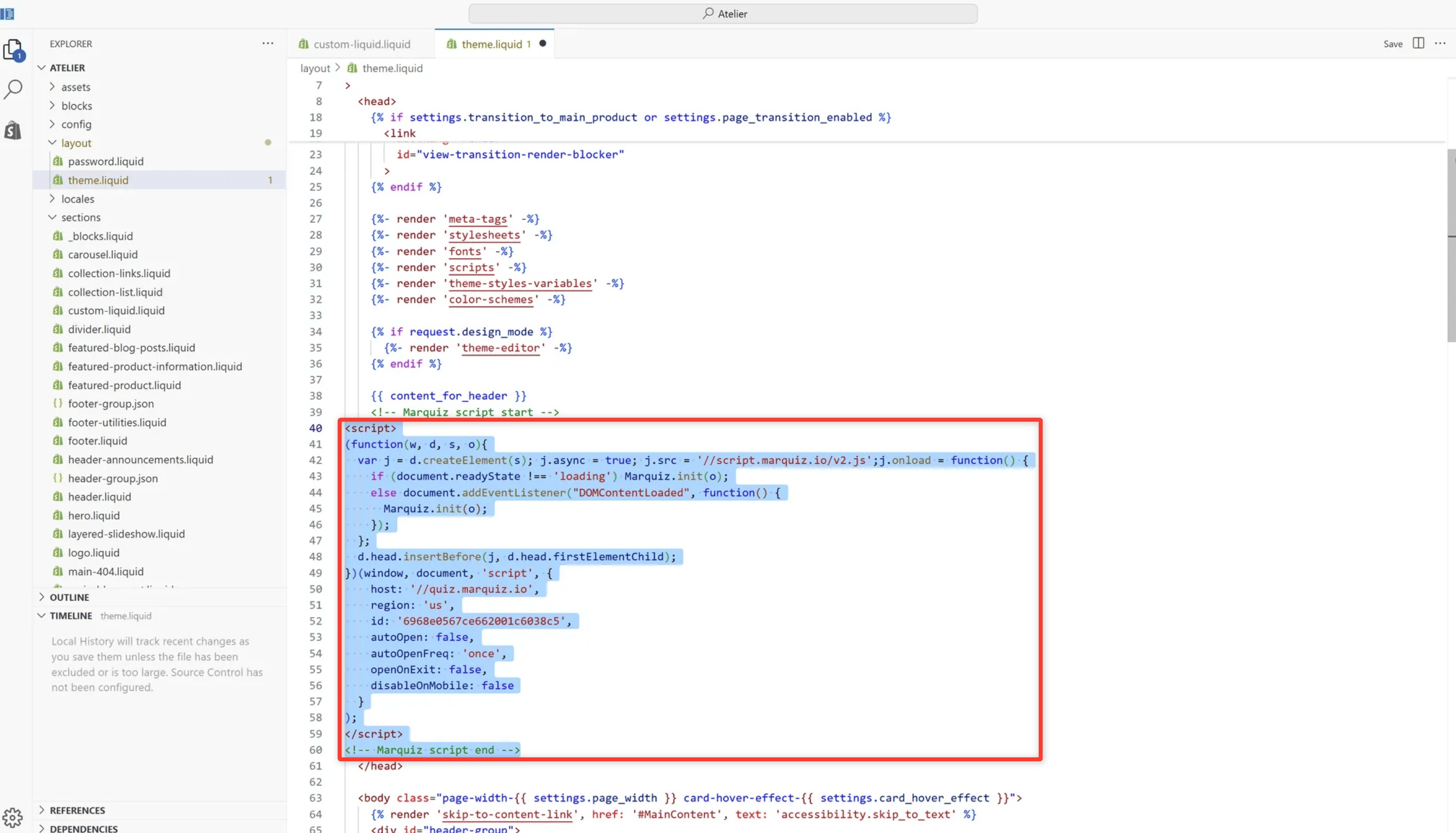
6. In the code editor, open the layout/theme.liquid file and paste the initialization code before the closing </head> tag.
7. Go back to your Marquiz account and copy the Installation code.
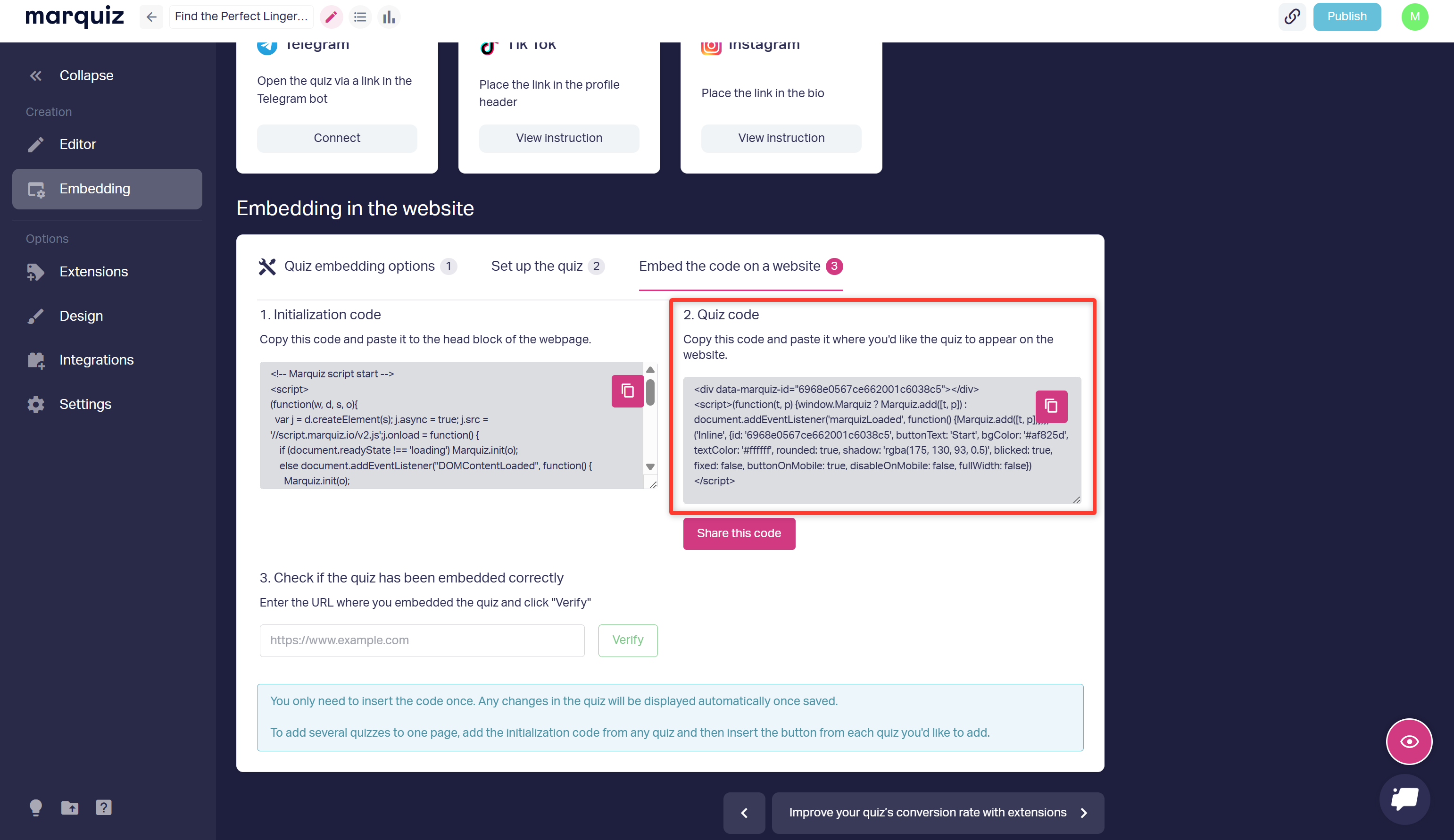
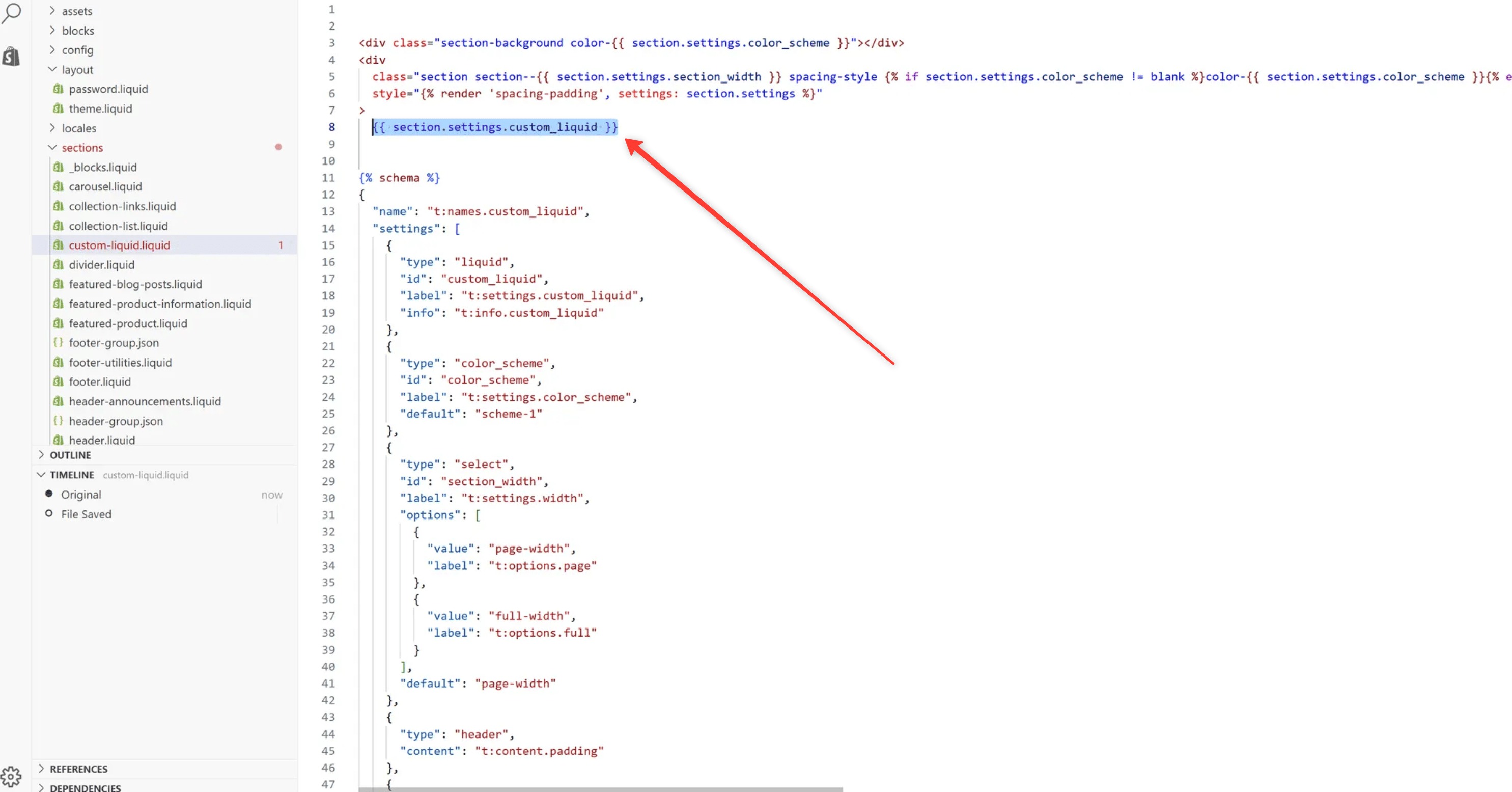
8. In the editor, open sections/custom-liquid.liquid and replace the line {{ section.settings.custom_liquid }} with your installation code.
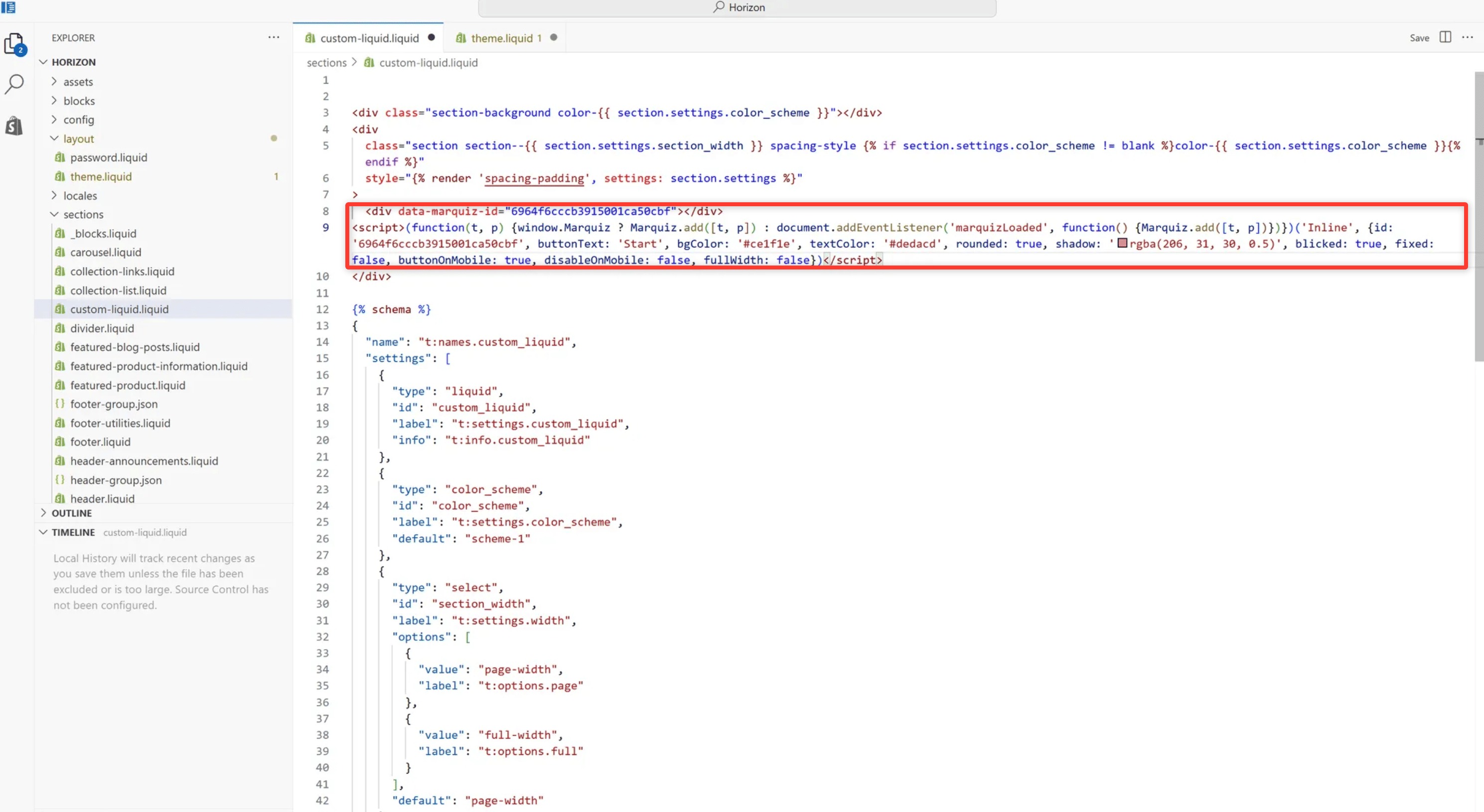
Done! The quiz is now installed on your site.