
Hidden field in the form of contacts
Where to find this setting
In the quiz editor, go to Settings → Hidden Fields → click Edit. A window will open for you to configure hidden fields.
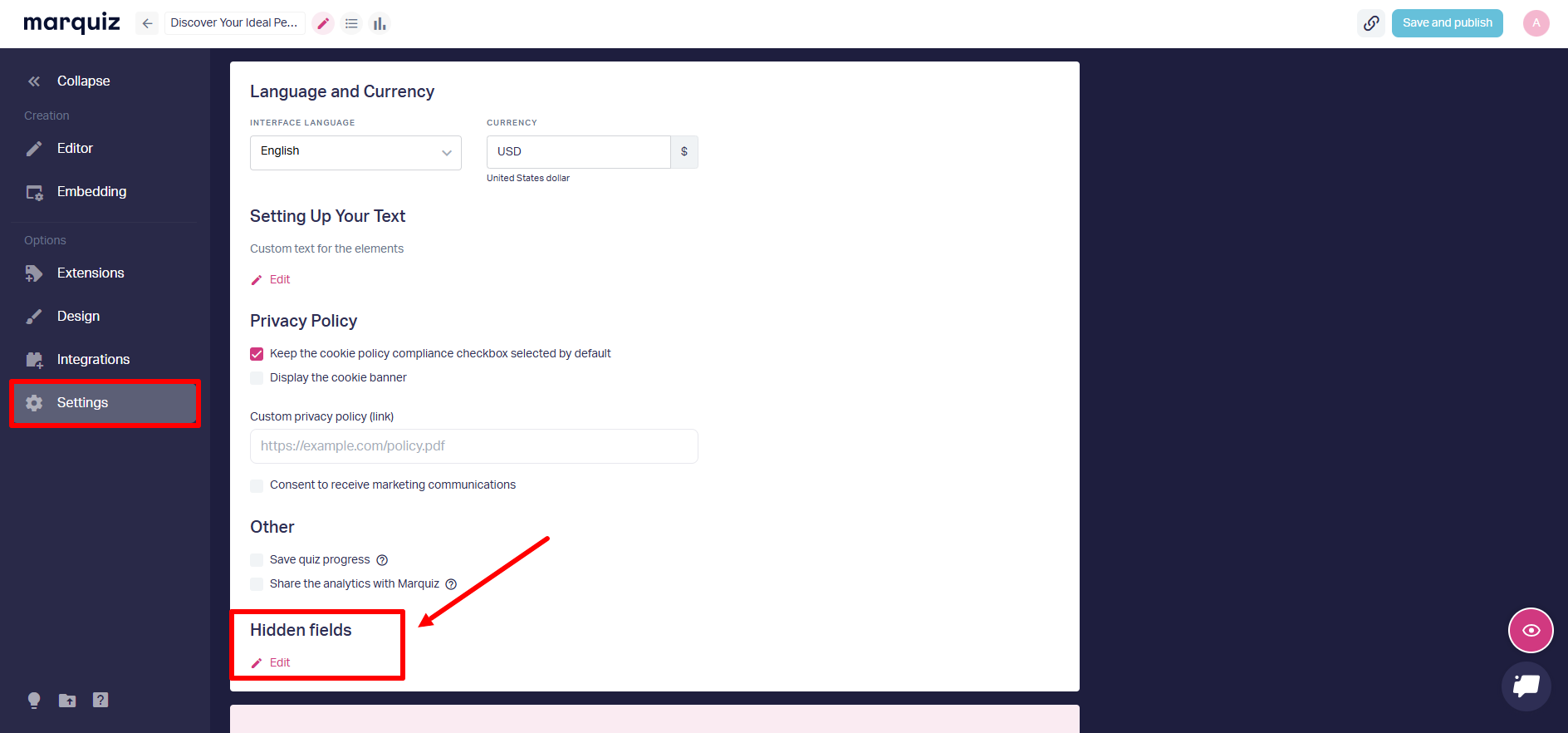
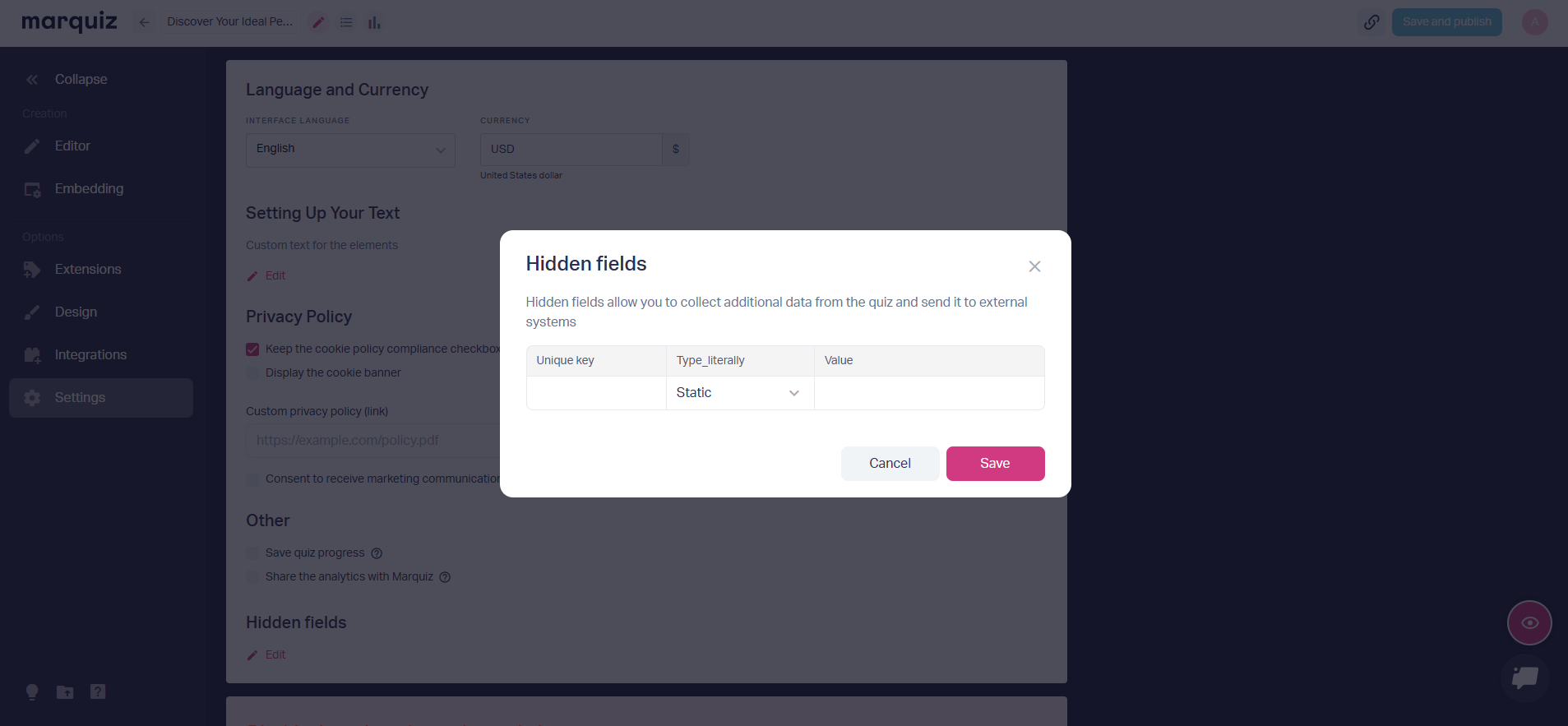
How to create a hidden field
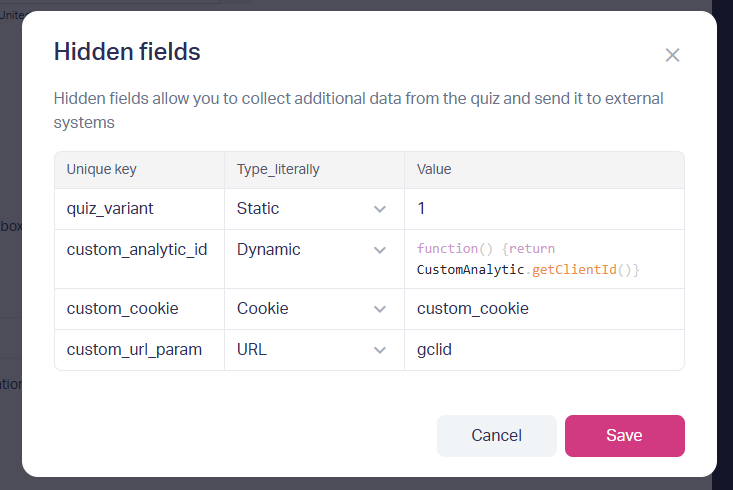
In the “Hidden Fields” window, click “+” to add a new field. Fill in the three columns of the table.
1. Unique key. Only Latin letters (A-Z, a-z), numbers (0-9), hyphens (-), and underscores (_) are allowed. For example: quiz_variant, utm_source
2. Type_literally.
• Static — fixed text/number
• Dynamic — value from a JavaScript function, your own code for insertion
• Cookie — value from a browser cookie
• URL — parameter from the address bar
3. Value.
• For Static — text or number
• For Dynamic — function (function() {return ... })
• For Cookie / URL — parameter name
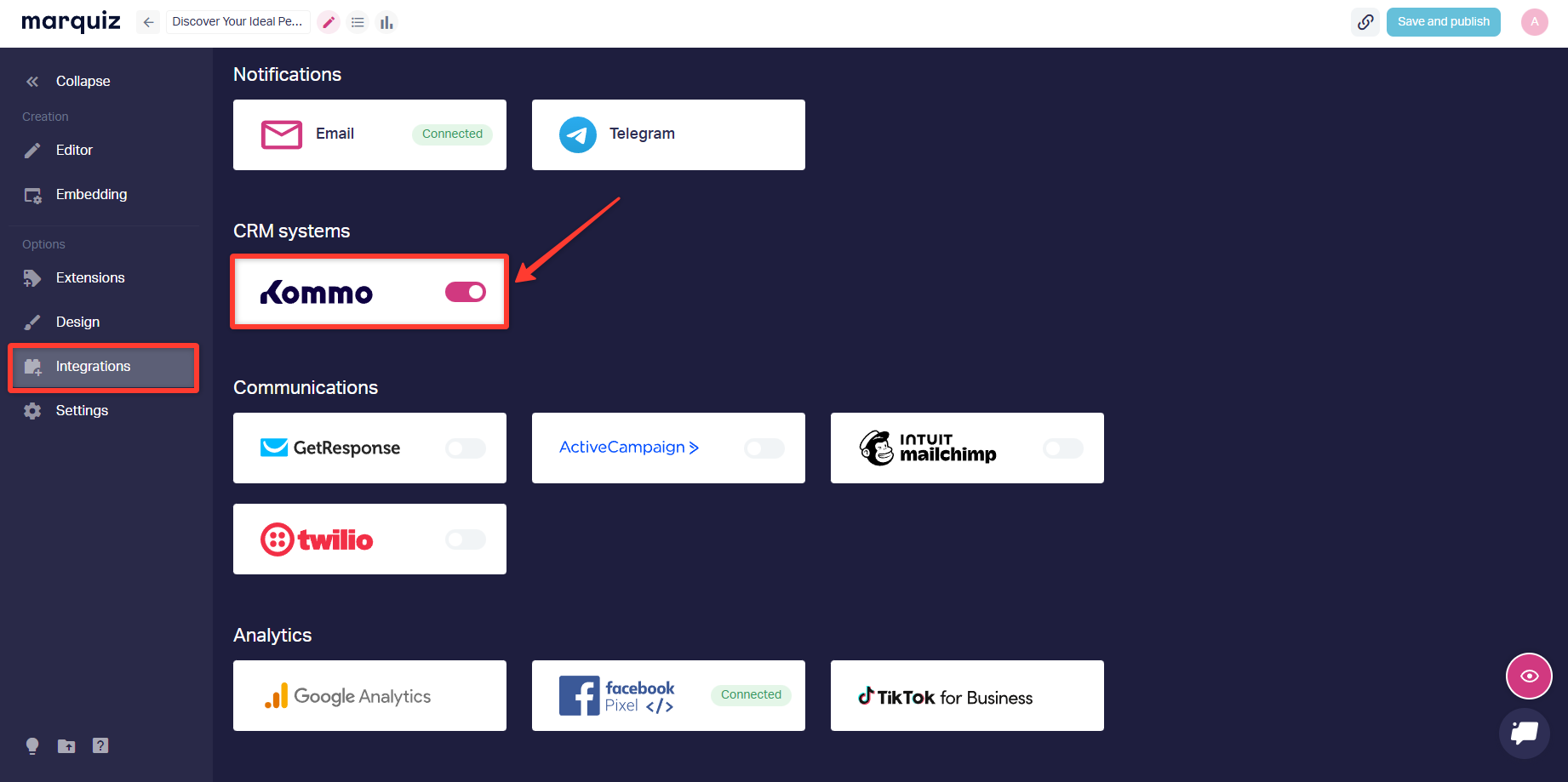
How to send hidden fields to CRM
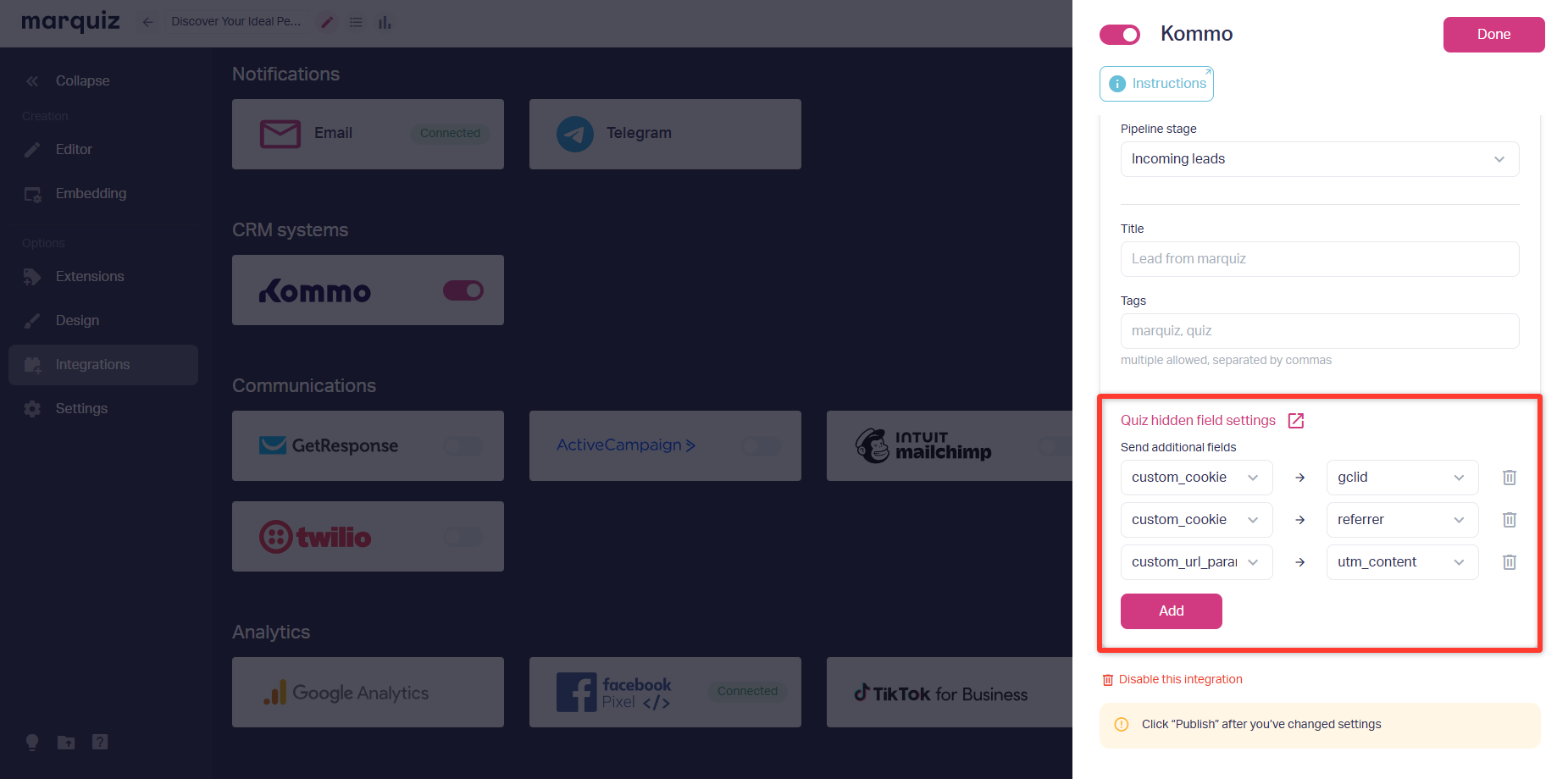
You just need to go to the right integration in the “Integrations” section, like Kommo.
Next, you need to select your hidden fields in the “Send additional fields” list.
After configuring the quiz, click the “Save and Publish” button to save the changes.