
Google reCAPTCHA Integration
Google reCAPTCHA helps protect your quiz from spam and automated form submissions.
Important: Only Google reCAPTCHA v3 is supported.
How to Create Google reCAPTCHA Keys
- Open the Google reCAPTCHA Admin Console and sign in to your Google account.
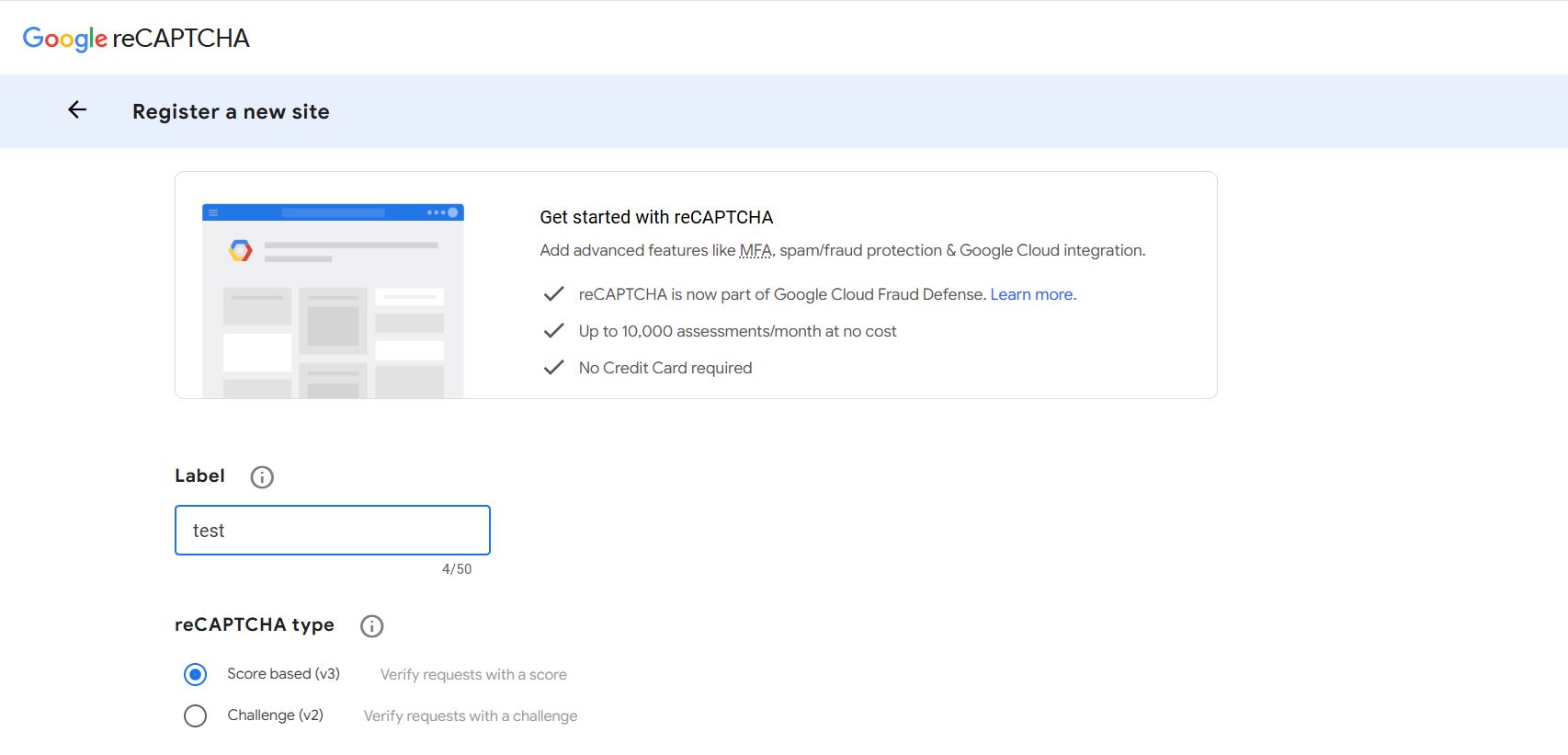
In the «Label» field, enter any name you prefer for the key.This label is used only to identify the key in your Google account and is not displayed in the quiz.
- Select «Score-based (v3)» as the «reCAPTCHA type».
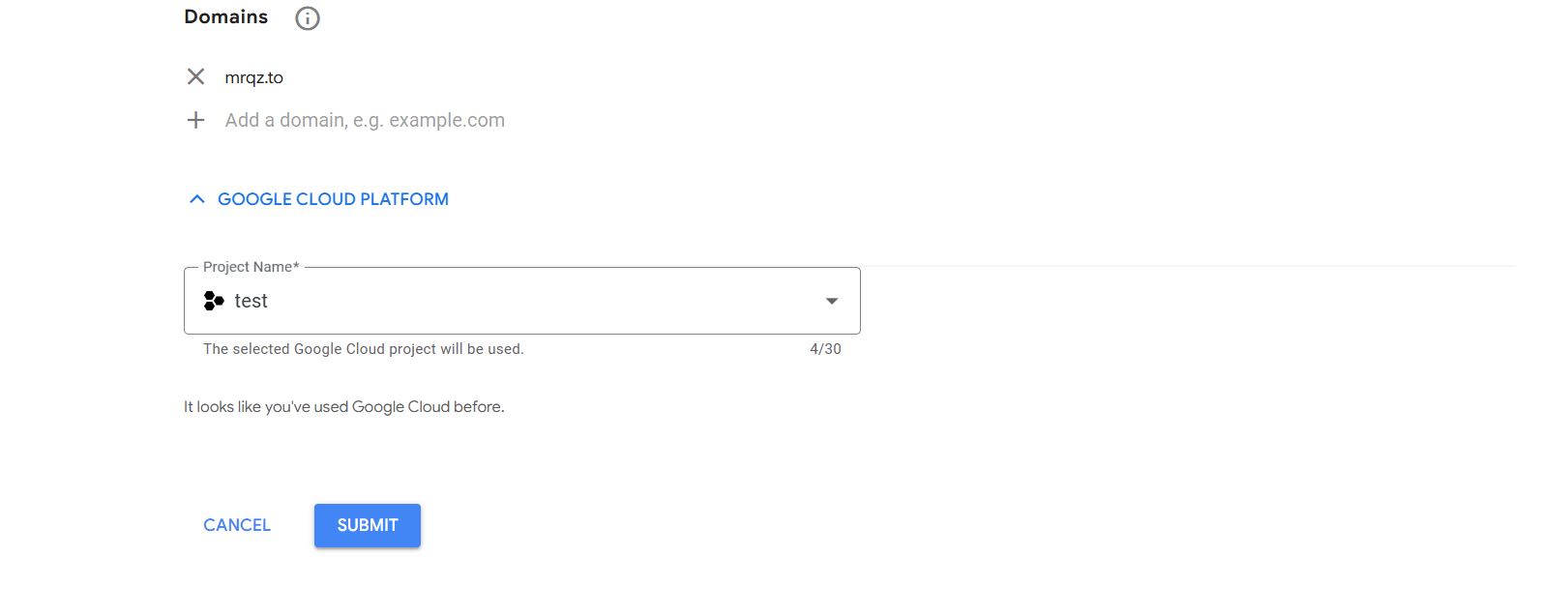
In the «Domains» field, add the domain: mrqz.to
- Enter any project name in the «Project Name» field.
- Click «Submit» to create a new key.
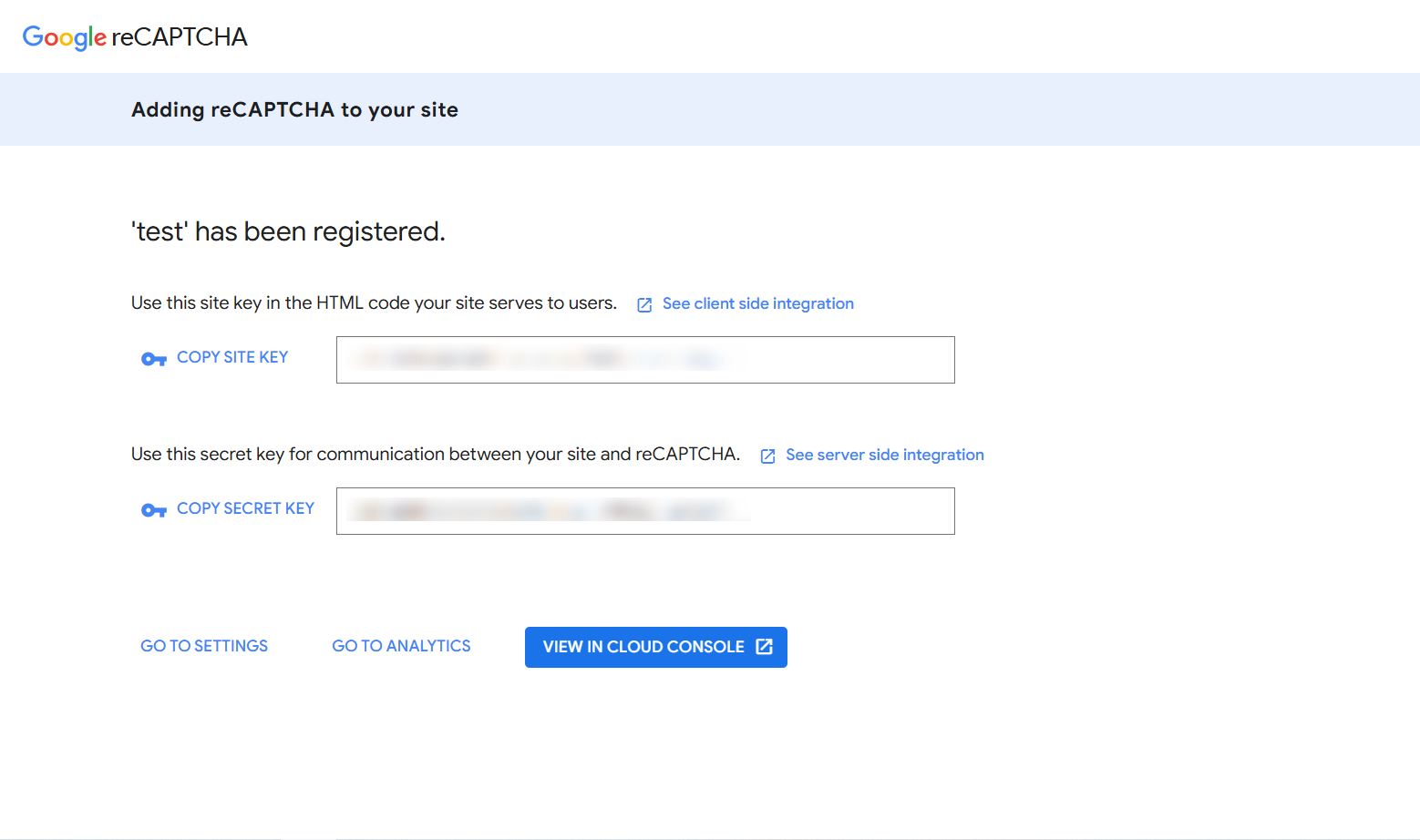
After the key is created, Google provides two keys:
- Site Key
- Secret Key
Configuring Google reCAPTCHA in Marquiz
- Open the quiz editor.
- Click «Edit» for the quiz you want to configure.
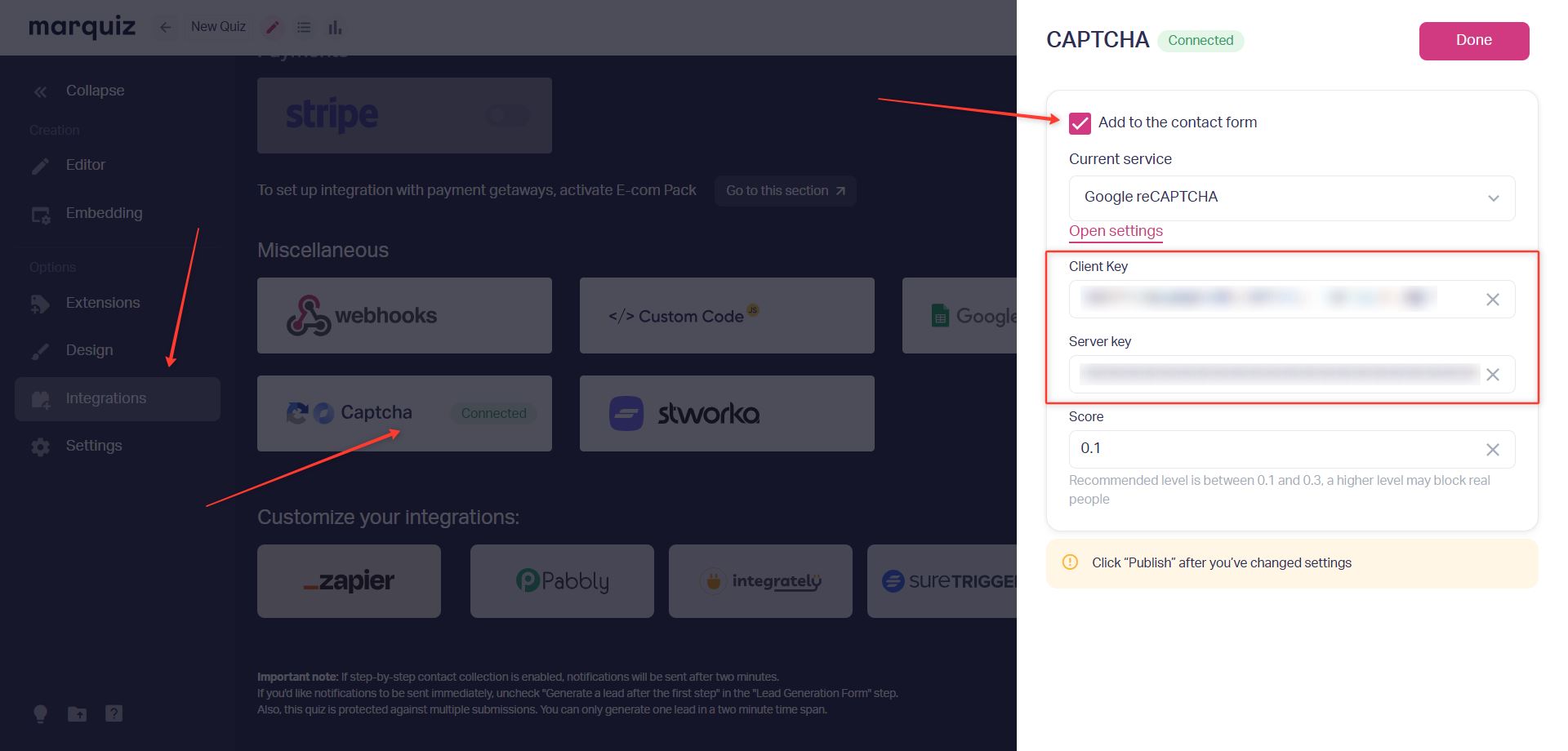
- In the quiz editor, open the «Integrations» tab.
- Navigate to the «Miscellaneous» → "Captcha".
- In the «Current service» field, select «Google reCAPTCHA».
- Paste the generated keys:
- Client Key → corresponds to the "Site Key" from Google
- Server Key → corresponds to the "Secret Key" from Google.
- Enable the «Add to the contact form» option.
- Click «Done».
- Click «Save and Publish» in the top-right corner of the quiz editor.
Setup is complete. Google reCAPTCHA will now verify submissions made through the quiz contact form.
Sensitivity Settings
For Google reCAPTCHA v3, you can specify a sensitivity level in the "Score" field within the integration settings.
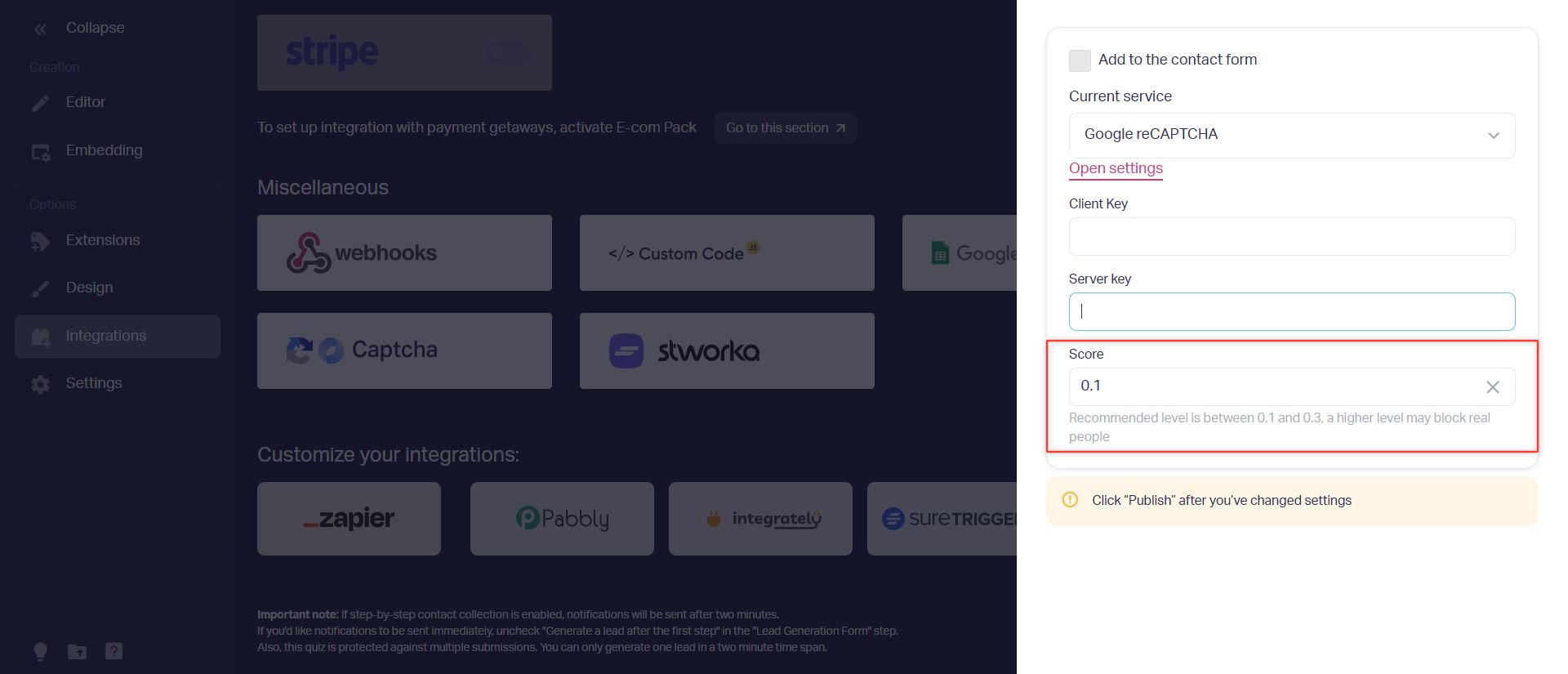
The higher the "Score" value, the stricter the system will be when evaluating visitor behavior, which may result in more submissions being blocked.
We recommend using the default sensitivity range of 0.1–0.3 and increasing it only if you experience a high volume of spam submissions.
- 0.1–0.3 — blocks the most basic bots
- 0.5 — provides a moderate level of protection
- 0.7 and above — recommended for handling large volumes of targeted spam.
About Google reCAPTCHA v3
Google reCAPTCHA v3 is an invisible CAPTCHA. It does not display additional challenges or verification tasks to users.
The system analyzes visitor behavior and determines how likely it is that an action is being performed by a human rather than a bot.
If Google reCAPTCHA detects suspicious activity, the quiz form submission will be blocked.